From Hollywood VFX to Generative AI
Two decades supervising shot-ready VFX for feature films, now building the production pipelines, compositing workflows, and ML tooling that bring generative AI into real studios. Hybrid CG/ML compositing, ComfyUI custom nodes, Gaussian Splatting, PyTorch pipelines, Python automation across Maya / Nuke / Houdini / Blender / Unreal — all shipped, not just prototyped.
FINAL CUT
An overnight film crew. An impossible music video. Her final cut.
FLARE stops waiting for permission and makes her own music video from her bedroom, with an AI crew working through the night. The song tells her story, the pictures show what she creates, and a designed desktop reveals the crew at work.
Directed by John Huikku through Intellistory, the production combines generated performances, character and wardrobe development, compositing, and custom graphics timed to the song.
- Story through the interface — lyrics become prompts; takes, notes, and review decisions become part of the film.
- Voice-driven review — agents assemble and open review playlists, then record approvals, rejections, and retakes from my spoken direction.
- Complete provenance — assets, prompts, and dependencies remain connected, so an agent can rerun the project as new models arrive.
Built on my experience supervising animated features and high-end VFX. By October 6: 415 review notes, about 18,100 words, and 98 review playlists.
The Making of FINAL CUT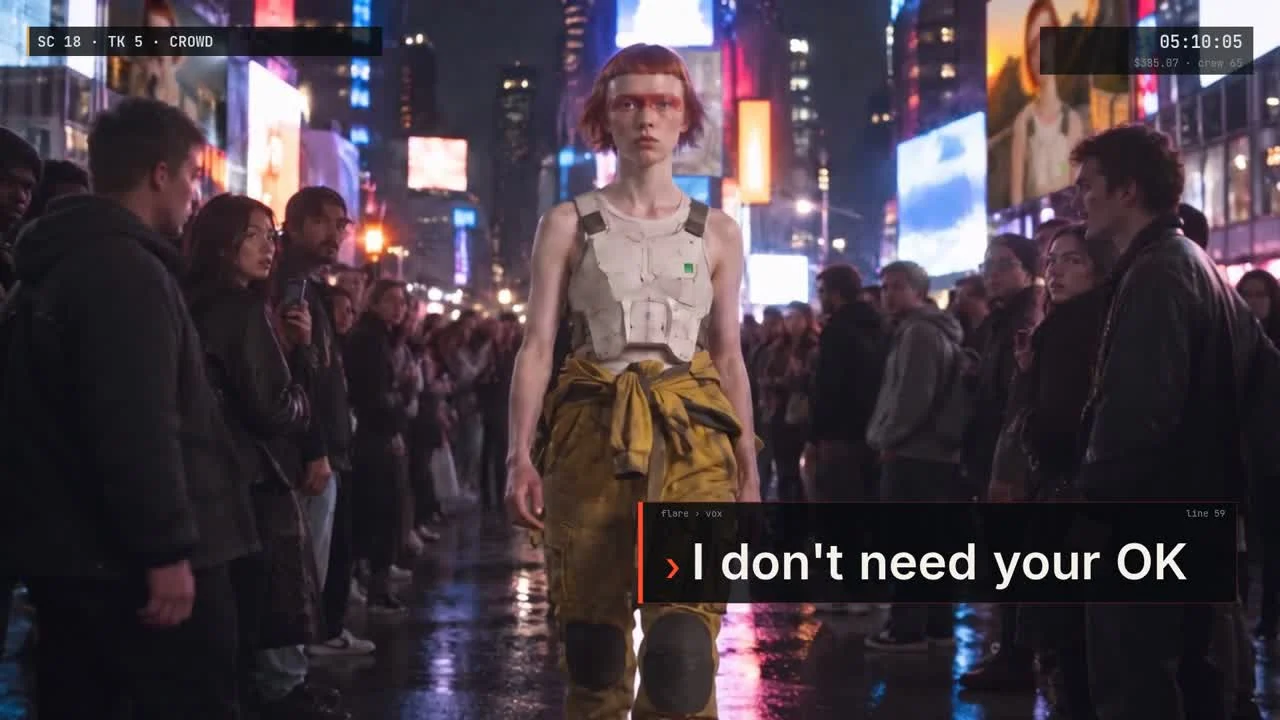
Creative Direction
John Huikku / Alienrobot
Production
Intellistory + custom film engine
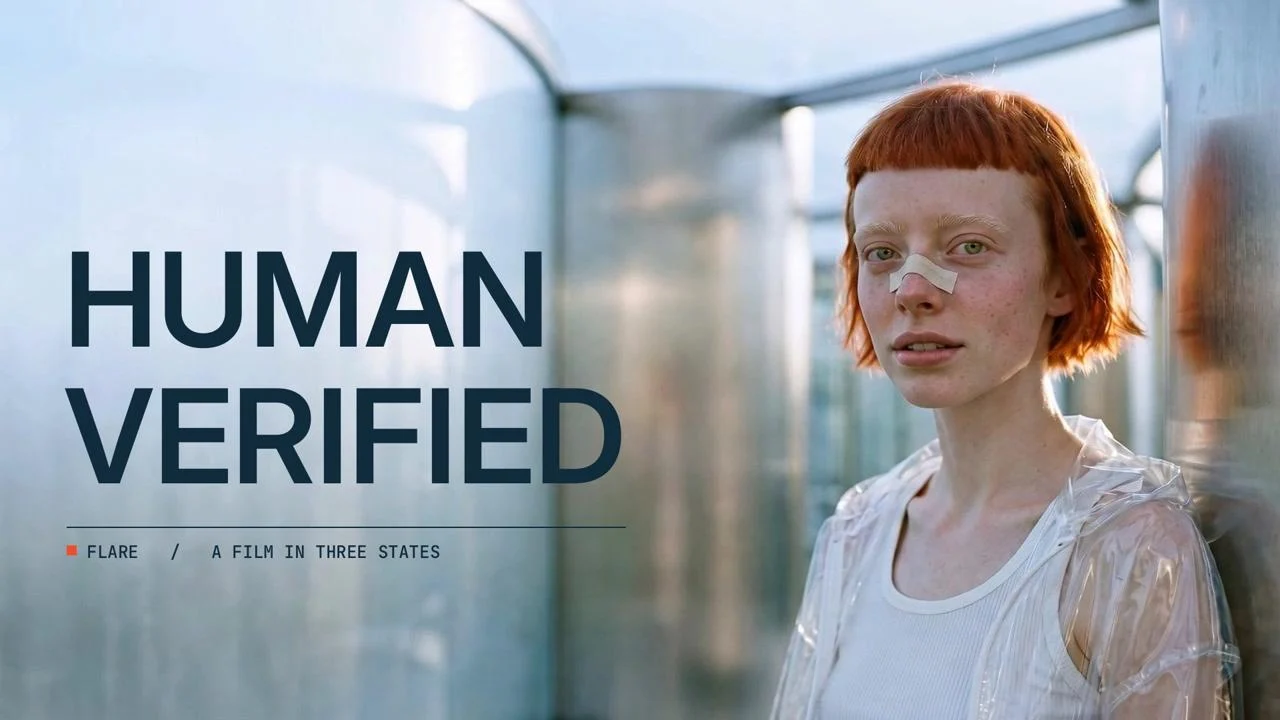
HUMAN VERIFIED
A verification system loses its certainty. A performer finds daylight.
An original music film that moves from pristine silver interiors into warm coastal light. FLARE's performance carries the story while kinetic lyrics, diagnostic graphics, and CAPTCHA grids make the system around her visible.
The production brings generative imagery into a directed VFX workflow: character references, performance revisions, subject masks, compositing, and a complete edit reviewed shot by shot in Intellistory. The review process draws on my experience as a CG supervisor on animated features and high-end VFX projects.
- A continuous visual journey — controlled interiors open into daylight and coastal space.
- Graphics in the picture — layered lyrics and diagnostic elements interact with the performer.
- Performance and timing — successive reviews refine sung passages, neighboring shots, and the placement of every lyric.
- Agent-built review playlists — work comes to my browser; voice notes tell the crew what is approved, rejected, or needs a retake.
- Complete provenance — recorded assets, prompts, and dependencies make it possible to revisit the production with new models.

Format
Original FLARE music film
Focus
Performance, compositing & kinetic lyrics
Feature Film & Episodic VFX
CG Supervisor, Compositing Supervisor & Art Director · 20+ Years in Visual Effects
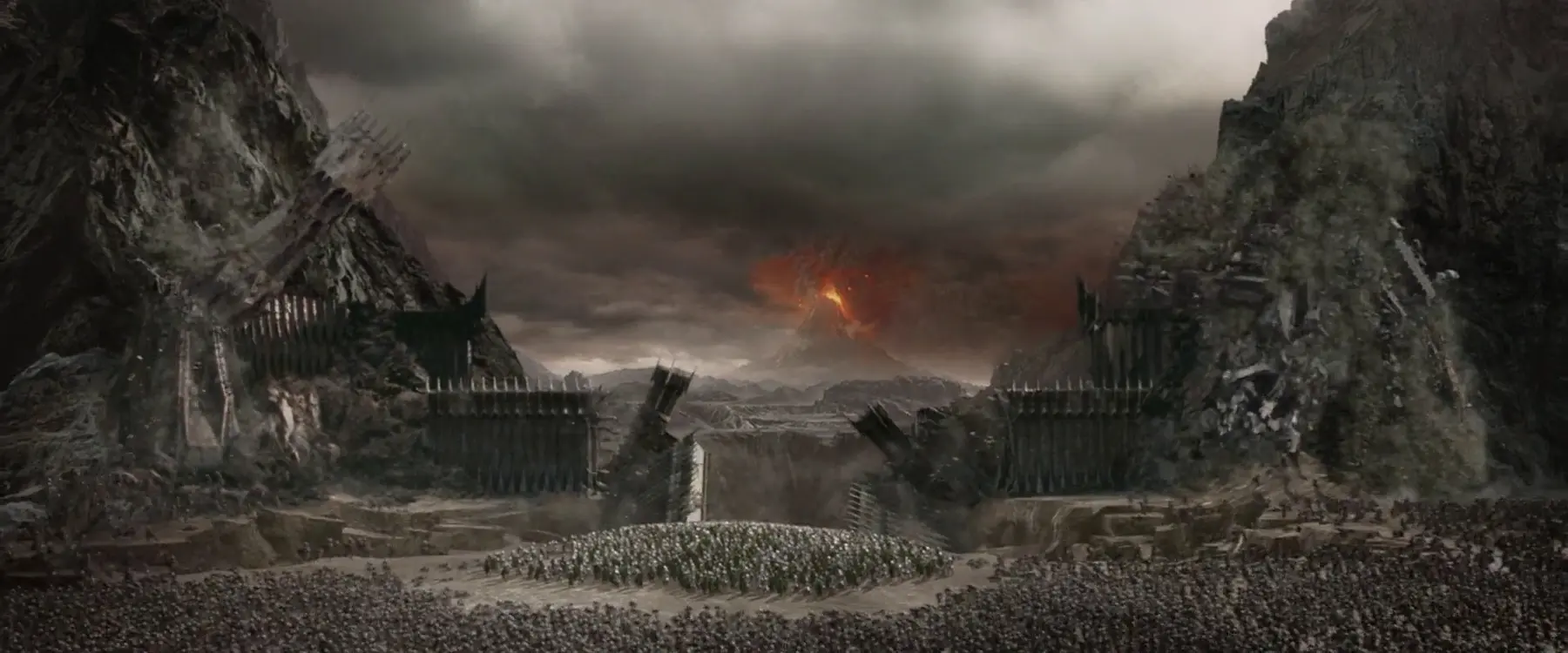
Two decades of visual effects work across feature films, animated features, television, commercials, and — most recently — generative AI. From environment TD on Lord of the Rings: Return of the King at Weta to CG Supervisor on Dune: Part 2 at DNEG and Art Director on TCL's inaugural FILM MACHINE program.
- Dune: Part 2 — CG Supervisor, DNEG · Oscar-winning VFX (2024)
- Shazam! Fury of the Gods — CG Supervisor, DNEG
- The Addams Family 1 & 2 — CG Supervisor, Cinesite
- Wreck-It Ralph — Procedural Lead / Look Dev, Disney Animation
- Frozen — Look Development & Lighting, Disney Animation
- Lord of the Rings: Return of the King — Environments TD / Matte Painter, Weta Digital
- TCL — The Audition — Gen AI Art Director, FILM MACHINE

Academy Award
Contributing credit on 2024 Best Visual Effects winner
Global Studios
DNEG, Weta, Disney, Cinesite, Axis, Tau Films
VFX Tools
Artist-First Drag-&-Drop · Custom Python Deploys of SOTA Models · In Development
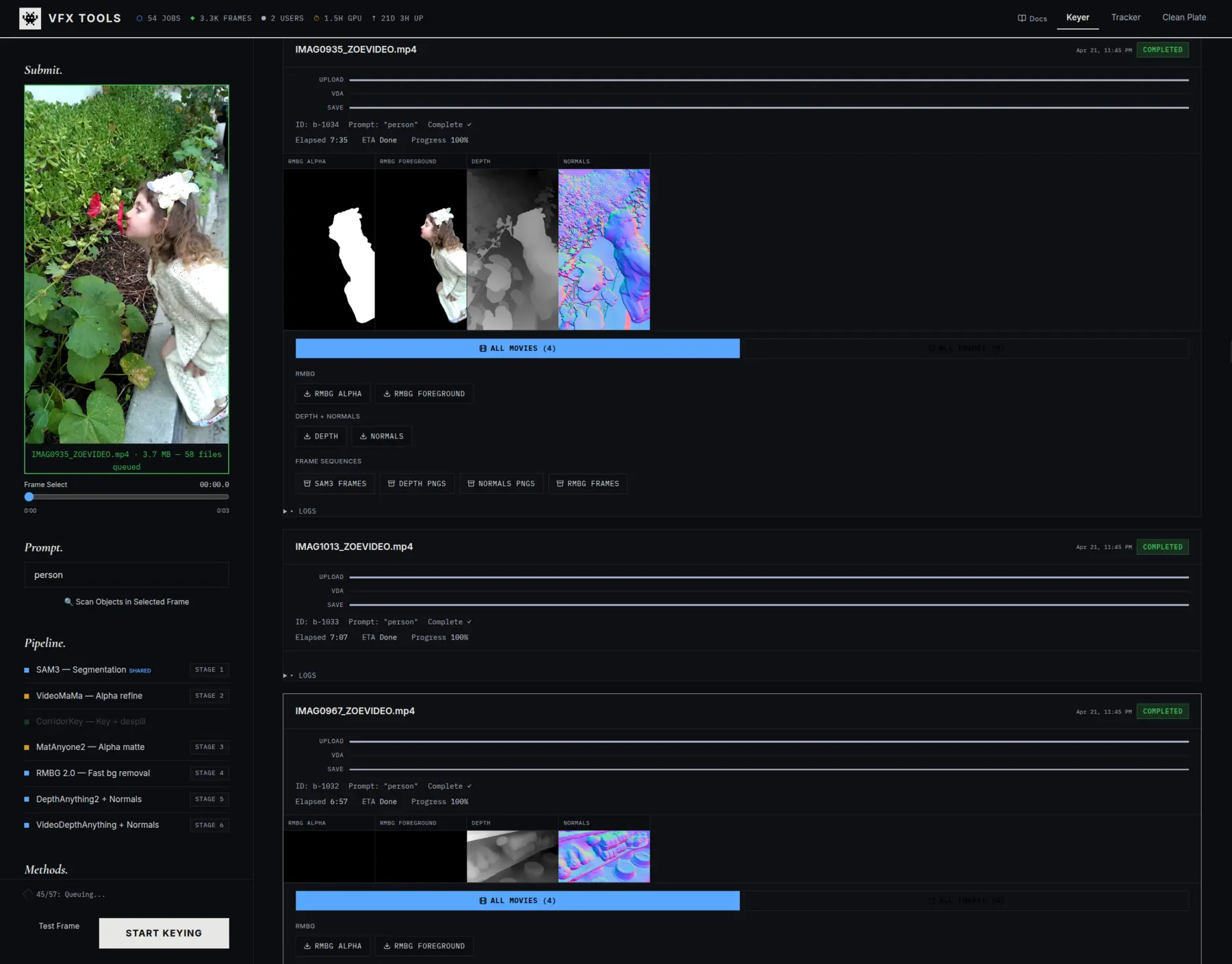
A production-grade hybrid CG/ML VFX pipeline that bundles state-of-the-art models — Netflix Void for cleanplates, Corridor Key for chroma-free keying, SAM3 and MatAnyone for temporally stable video mattes, Depth Anything for depth passes, GVHMR for 3D body mesh recovery, and DWPose for whole-body skeletons — into one queue-driven worker. Every model runs in a custom Python deploy, not ComfyUI, so artists get a simple drag-and-drop UI and never have to open, repair, or troubleshoot a node graph. Turns monocular video into shot-ready mattes, cleanplates, depth passes, skeletons, and SMPL meshes — and one plate into a scene-linear 360° HDRI — for Maya / Houdini / Blender / Nuke.
Netflix Void
Cleanplate Reconstruction
Corridor Key · MatAnyone
Keys & Video Mattes
GVHMR · DWPose
3D Body & Skeletons
HunyuanWorld
Plate → 360° HDRI
Pipeline Capabilities
- VFX Infra Backbone: The frontend relies on the VFX Infra platform — alienrobot-server dispatches jobs over Tailscale to custom Python servers running the AI models on pinned GPUs, no ComfyUI in the loop
- Drag-&-Drop, Not ComfyUI: Artists upload a plate, pick an operation, and get results — no node graph to open, no workflow to debug
- Cleanplates: Netflix Void for background reconstruction behind masked subjects
- Keys & Mattes: Corridor Key, SAM3, and MatAnyone for chroma-free keying and temporally consistent video mattes
- Depth & 3D Body: Depth Anything depth maps, GVHMR SMPL mesh recovery, DWPose 133-point skeletons
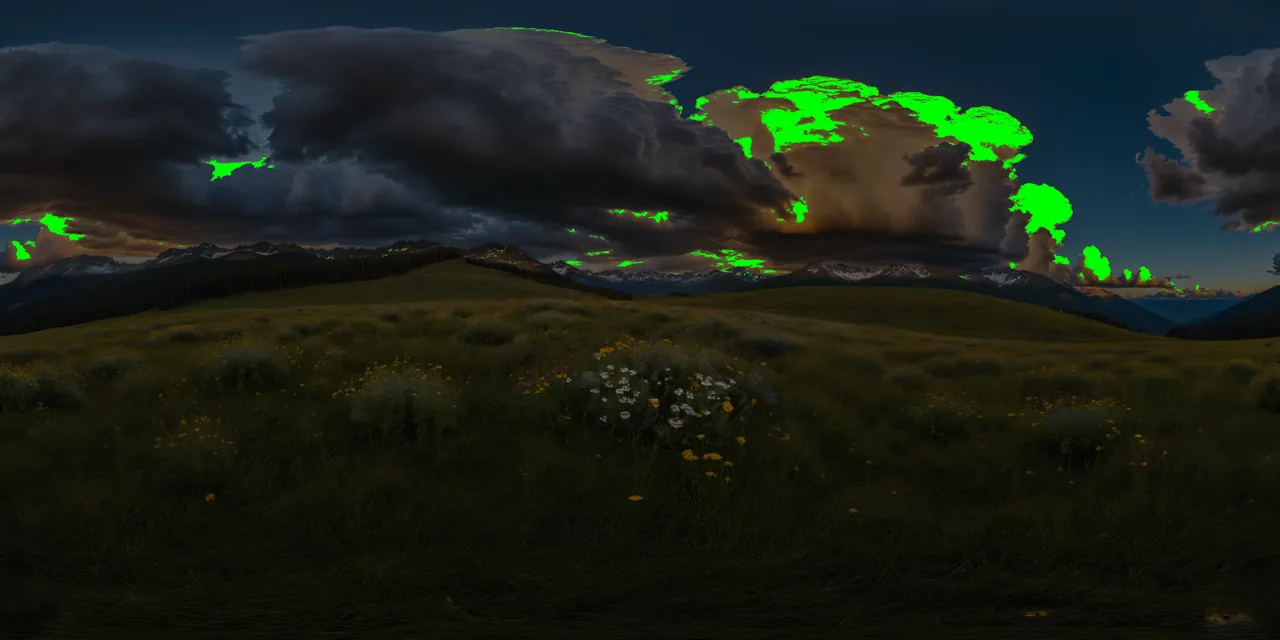
- Plate → 360° HDRI: A multi-model pipeline — HunyuanWorld (FLUX) extrapolates a single plate to a true equirectangular 360° panorama (auto-captioned so it stays on-theme), a ComfyUI pass wrap-pads and seam-heals the upscale, and a DINO + SegFormer emitter gate classifies the scene so only real light sources exceed 1.0 — out to scene-linear EXR and cube-map faces for image-based lighting
- Tracker Module: Dedicated 3D person-tracking tab — locks GVHMR meshes and DWPose skeletons to the plate for matchmove, crowd replacement, and CG double work
- Studio Output: FBX / BVH / OBJ / EXR exports drop straight into Maya, Houdini, Blender, or Nuke
ComfyUI Loop MCP
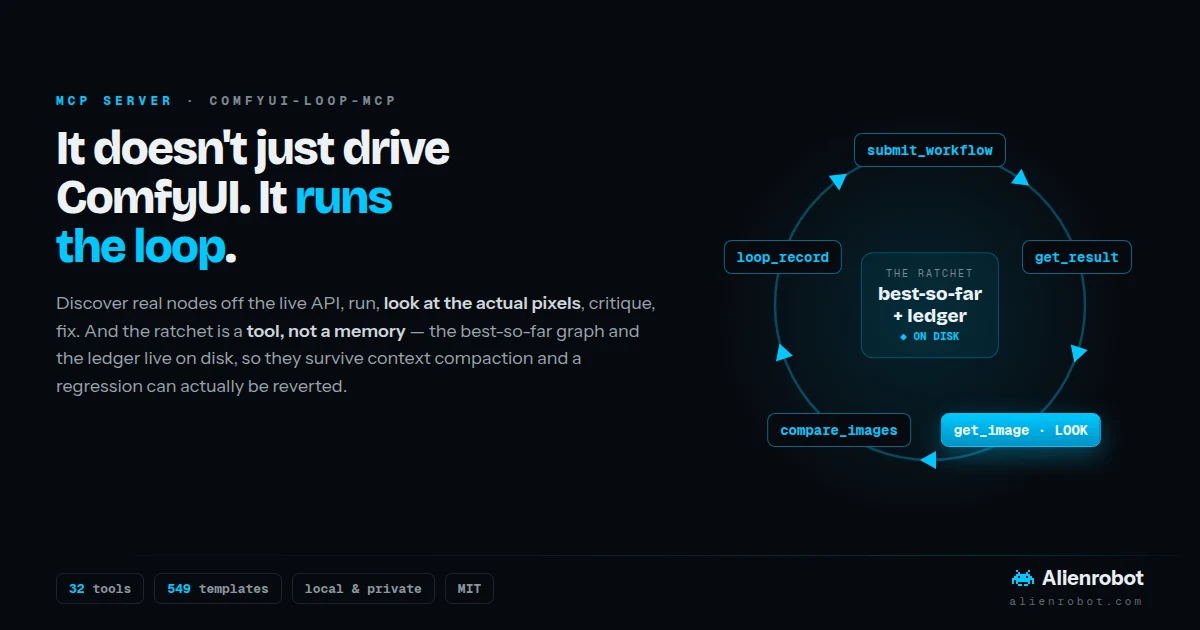
It Doesn't Just Drive ComfyUI — It Runs the Loop · Open Source
A graph that runs with zero errors is valid, not correct. Mangled hands, a drifted
background, a hard matte edge, a visible tile seam — none of that shows up in an error log.
It only shows up in the pixels. Loop MCP is an MCP server for your own ComfyUI that
makes the agent build → run → look → critique → fix until the output
actually meets the brief. get_image hands the
rendered frame back to the model, so look is a real step, not a figure of speech.
The part nobody else has: the ratchet is a tool, not a suggestion. The best-so-far graph and the decision ledger live on disk, not in the model's memory. When a long loop gets its context compacted, a remembered best-so-far is gone — the ratchet silently stops ratcheting and the agent hands you a regression as the final answer. Here, reverting is a tool call instead of an act of recall.
32
MCP Tools
93%
Fewer Discovery Tokens
Ratchet
Best-So-Far On Disk
Local
Private, No Account
How It Works
- Look Before Done:
get_imagereturns the rendered output to the model, and every tool response pushes it to judge the pixels — a green run is reported as valid, not correct - The Ratchet: keep a change only if it beats the best-so-far, otherwise revert and try something else — held on disk, so it survives context compaction (adapted from Karpathy's AutoResearch)
- Discovery, Not Guessing: nodes, models, and ~550 workflow templates come from the live
/object_infoAPI and the open template catalog — never from training data - Installs What's Missing:
find_missing_nodes,install_node_pack, andinstall_modeldrive ComfyUI-Manager on your host, then restart it - Token-Efficient by Necessity: compact node notation cuts
object_infoby 93% (measured across 987 nodes) — discovery gets re-paid on every pass of the loop - Yours, Not a Service: points at hardware you already own — local, private, offline-capable, no account, ~1,200 lines of hackable MIT Python
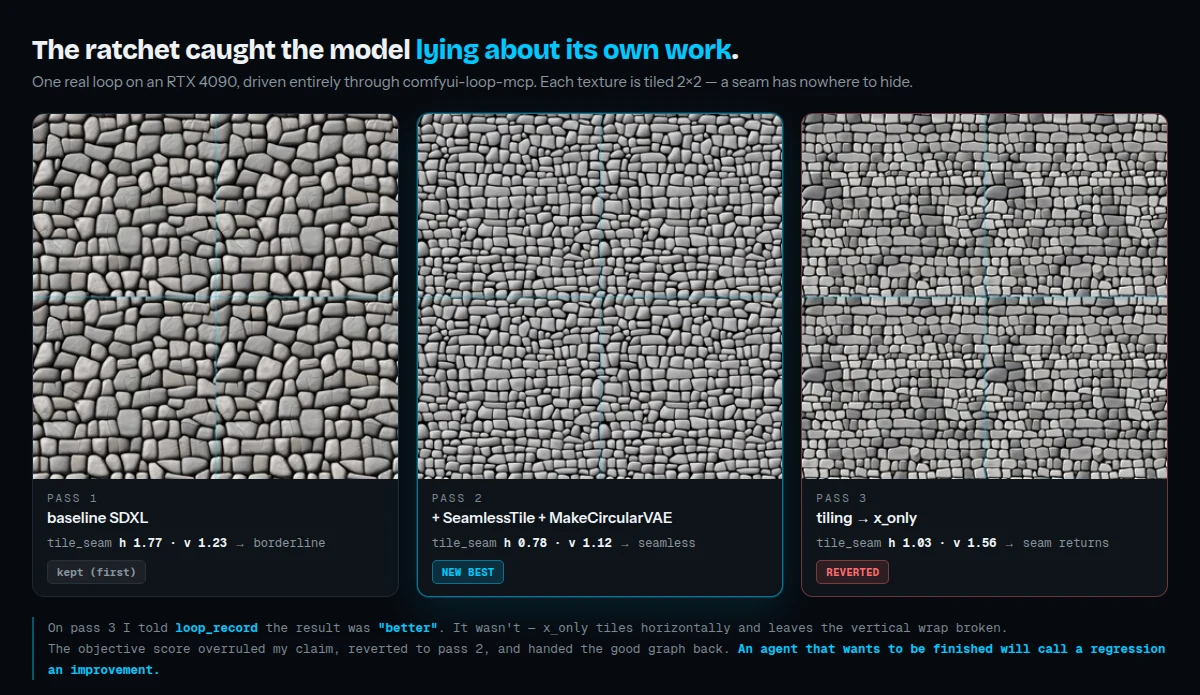
The ratchet overruling the model's own claim — pass 3 was reverted despite being reported as an improvement.
The Workflow Library — 12 Graphs, Built by Execution
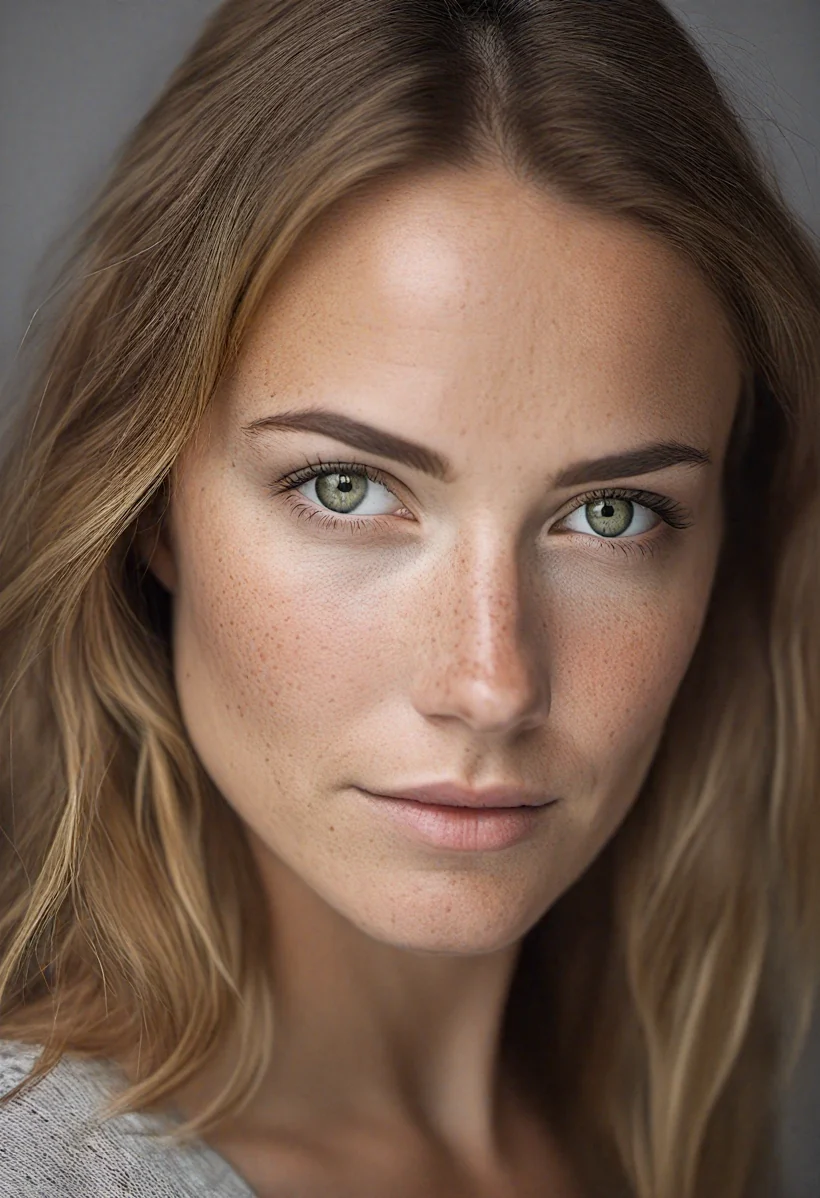
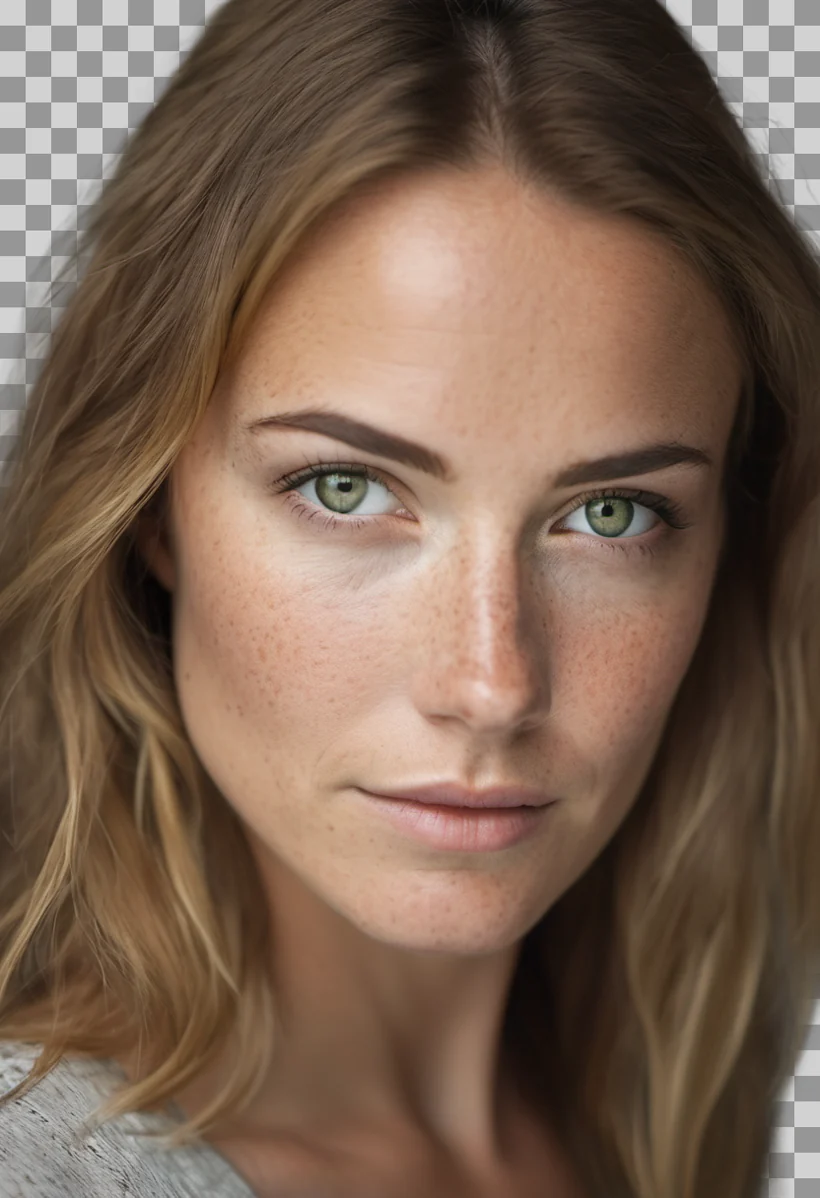
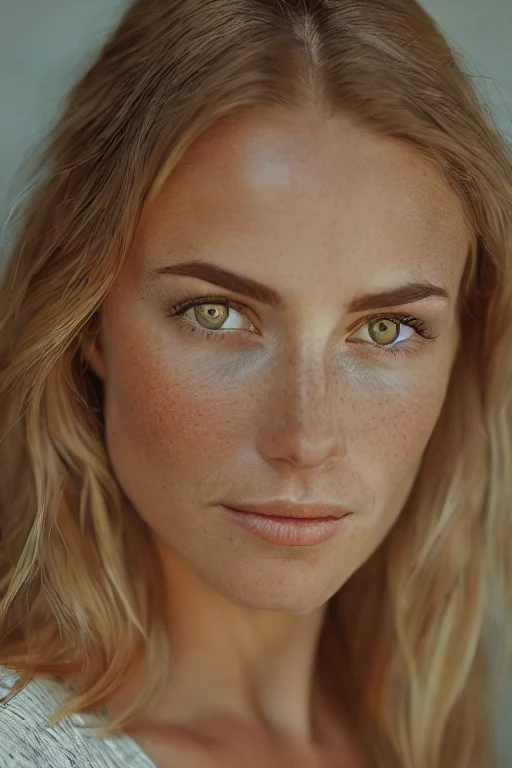
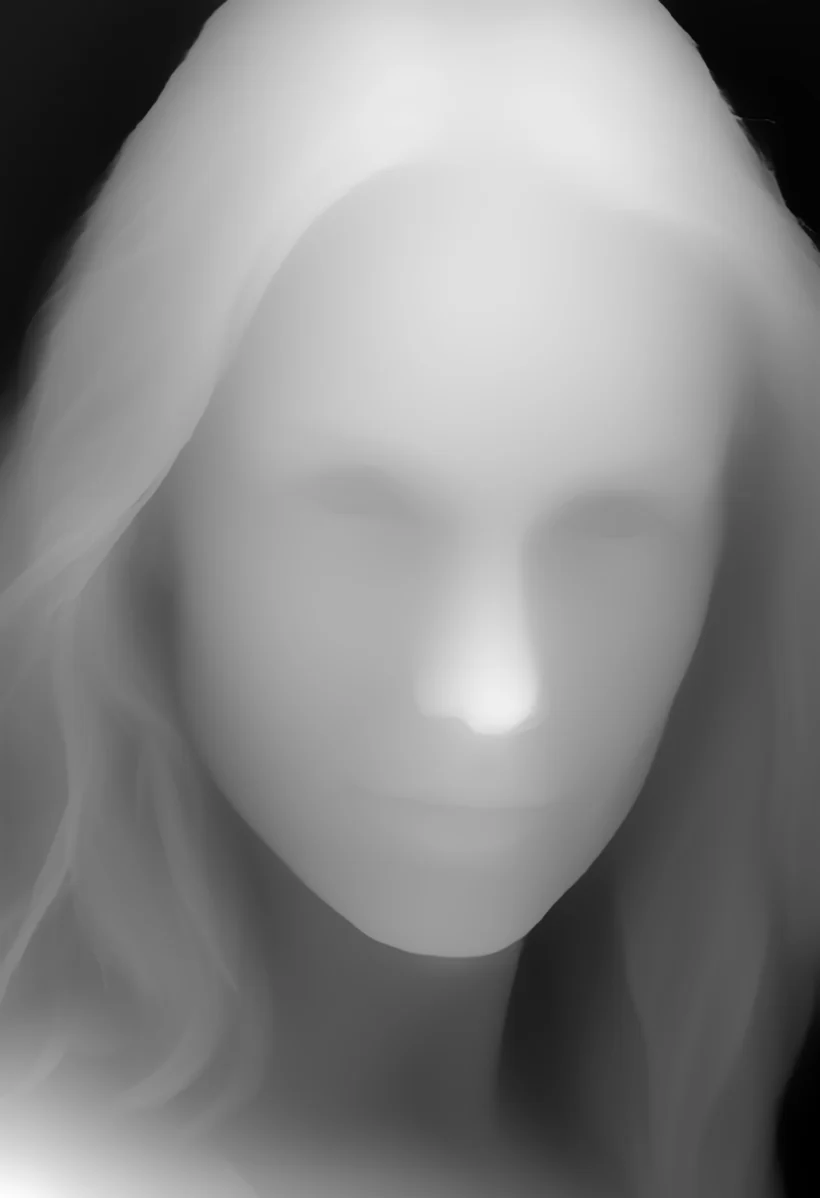
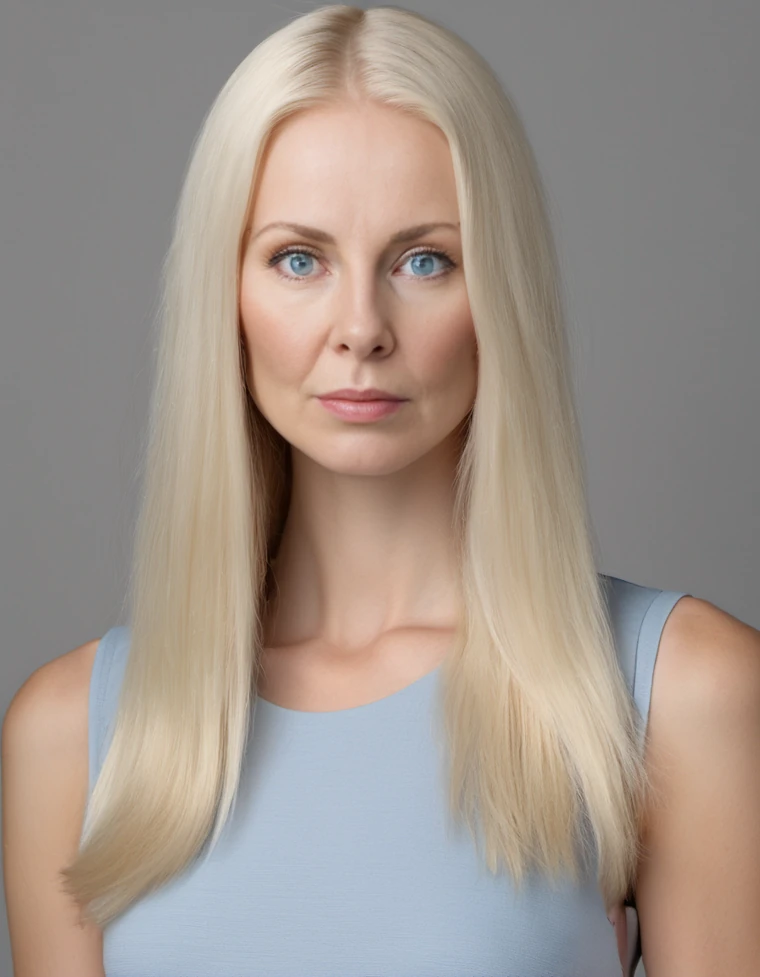
What the loop actually produces. Every graph here was built by running it, not hand-authored from specs — production VFX operations with real before/afters, an interactive node-graph preview, and drag-in JSON you can drop straight into ComfyUI.
 before / after
SUPIR Upscale & Restore
before / after
SUPIR Upscale & Restore
 before / after
BiRefNet Matting
before / after
BiRefNet Matting
 before / after
IC-Light Relight
before / after
IC-Light Relight
 before / after
Nearly-Seamless HDR Latlong
before / after
Nearly-Seamless HDR Latlong
 before / after
Depth Anything V2
before / after
Depth Anything V2
 before / after
Face Swap — FaceFusion
before / after
Face Swap — FaceFusion
The Rest of the ComfyUI Toolchain
Loop MCP is the executable version of the work below — the onboarding docs ship inside the package and are served verbatim, and the compression came out of the LLM Bridge and Tools work. Click any image to expand it.
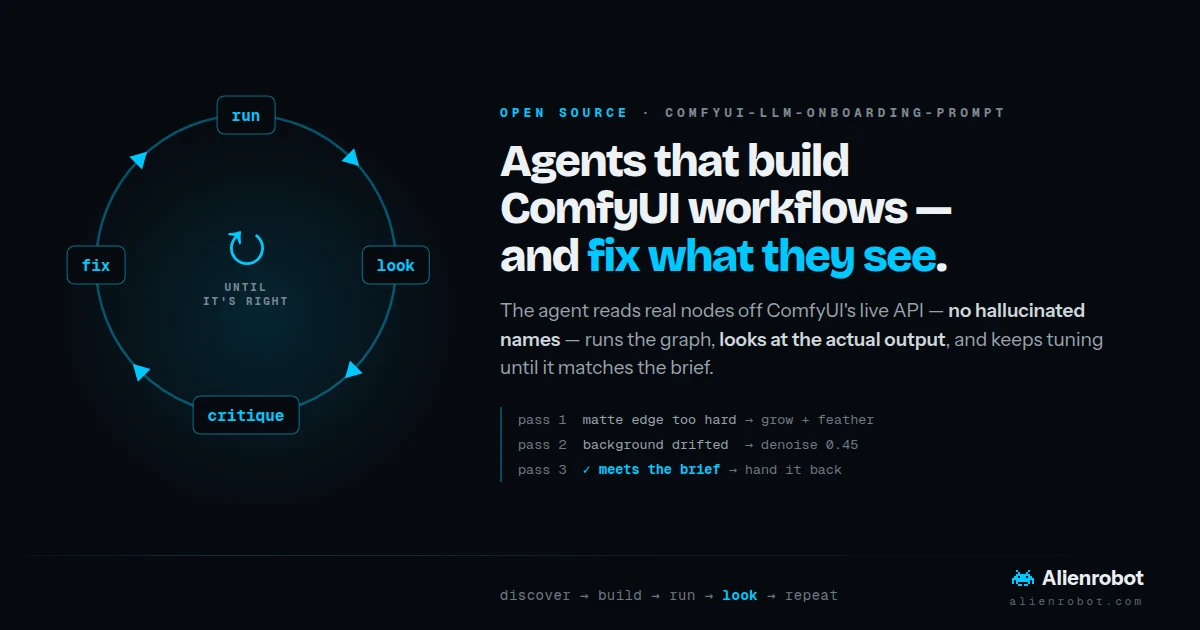
ComfyUI LLM Onboarding Prompt
The pasteable version, for when you don't want a server. One markdown file drops into Cursor, Claude Code, or Gemini and the model discovers real nodes off the live API, picks the runnable JSON format, and validates by executing. v2, MIT.
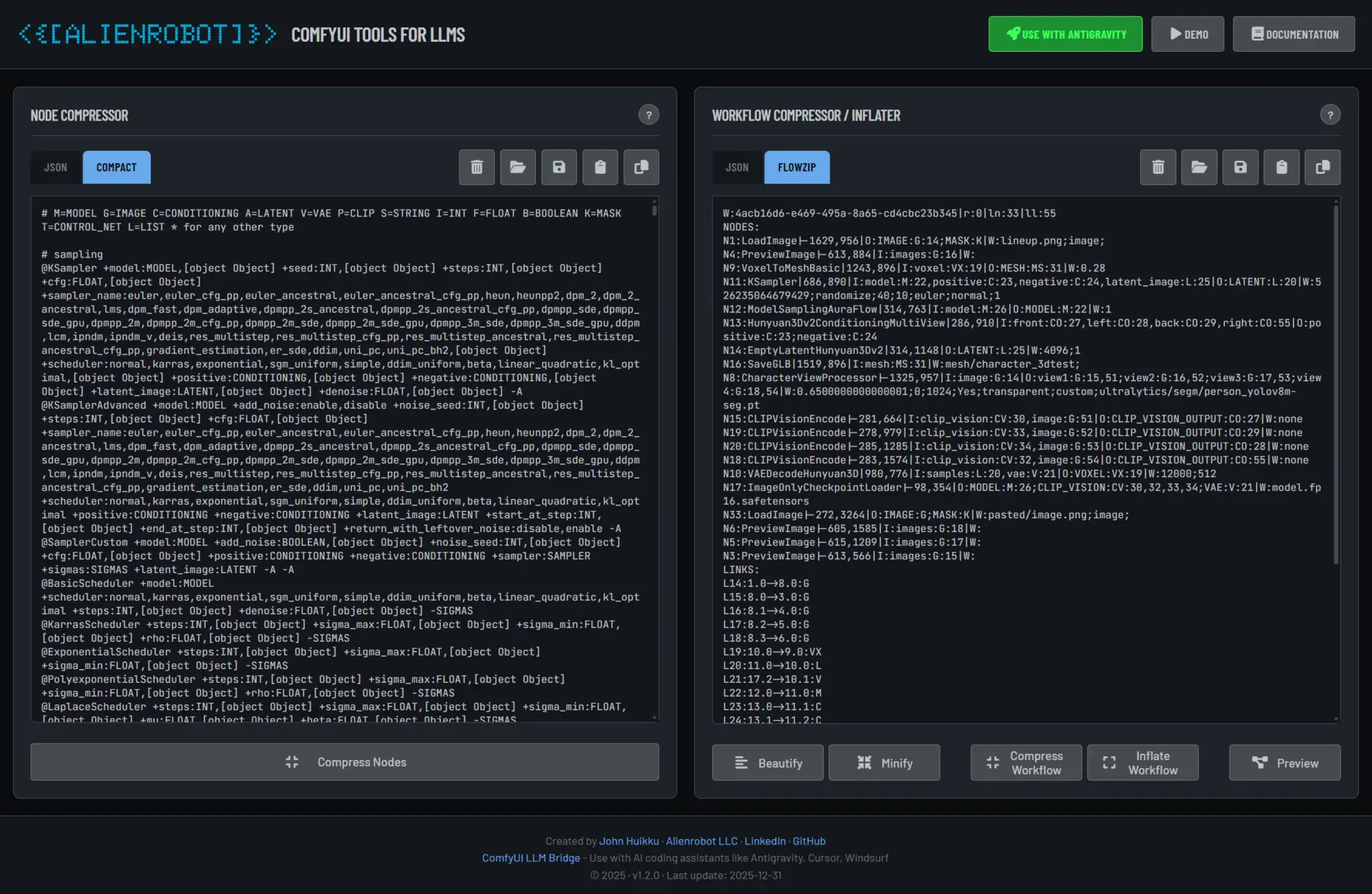
ComfyUI LLM Tools
The same compression in the browser, no install. FlowZip round-trips a workflow at 50–70% fewer tokens, plus an interactive graph previewer. Everything runs locally.
Try It →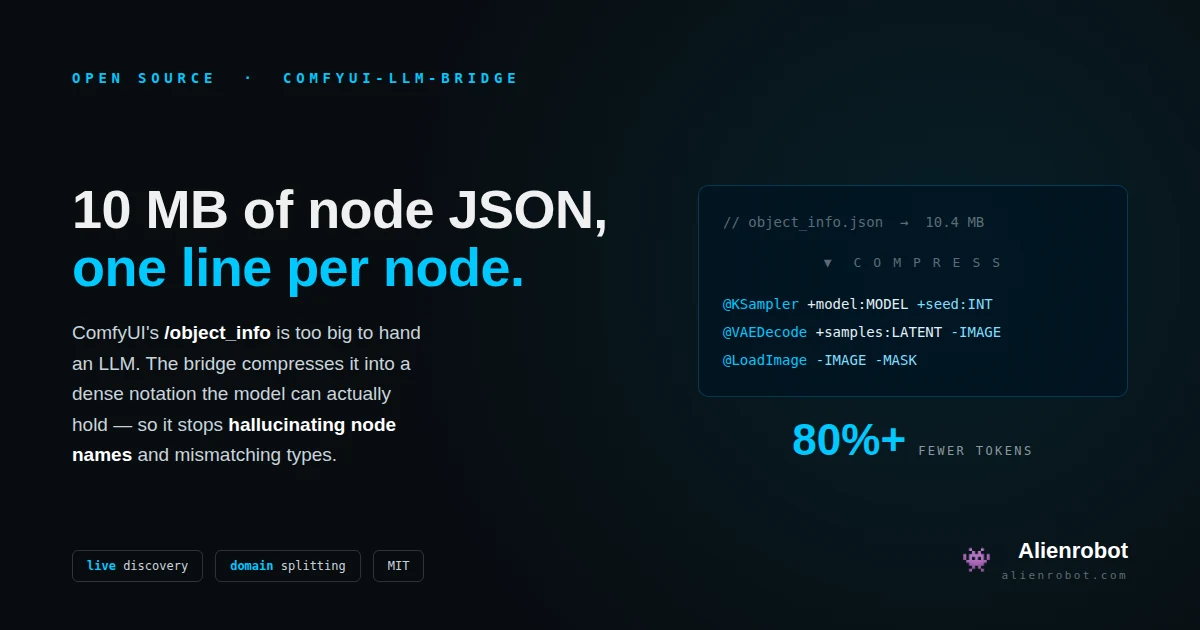
ComfyUI LLM Bridge
Where the notation started. Compresses ComfyUI's 10 MB
/object_info into one line per node —
80%+ fewer tokens, no hallucinated node names, split by domain.
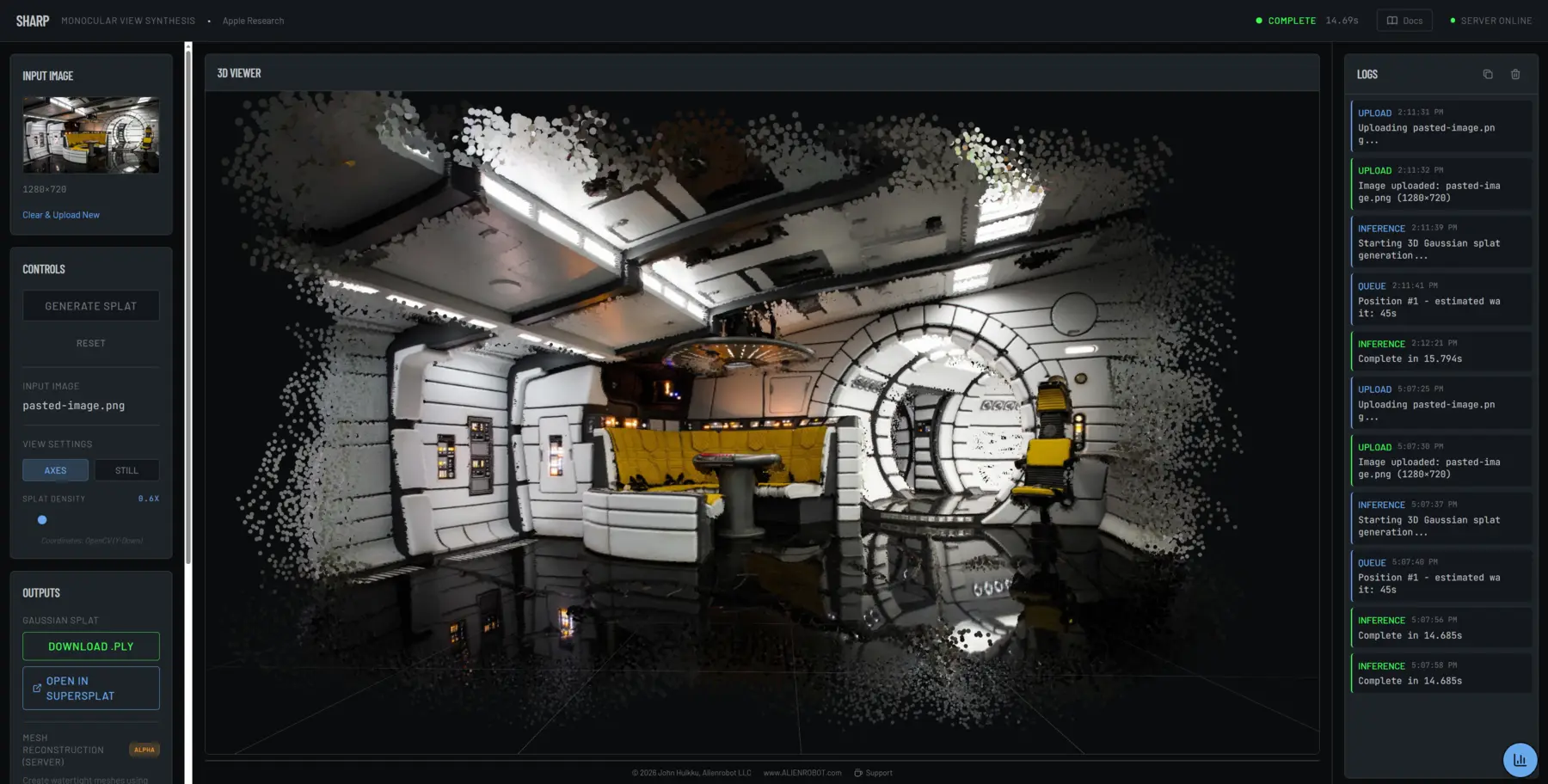
A web-based 3D viewer built on Apple Research's SHARP model. Generates over 1.1 million Gaussian splats from a single image in under 1 second — enabling instant 3D reconstruction with zero optimization.
Zero-Shot
Single Image to 3D
1.1M Points
High-Density Splats
Interactive
WebGL Viewer
Instant 3D Reconstruction
- Apple Research Model: Built on the SHARP monocular view synthesis architecture with DINOv2 backbone
- Real-Time Rendering: Custom point cloud shader with interactive rotation, zoom, and orbit controls
- Sub-Second Inference: Generate complete 3D scenes from any photograph in under 1 second on GPU
- Production-Ready Export: Outputs standard PLY files compatible with Gaussian Splatting renderers
Wetware
Diet, Vitals, Sleep, Labs & Supplements — with an LLM Coach Grounded in Your Numbers · Live
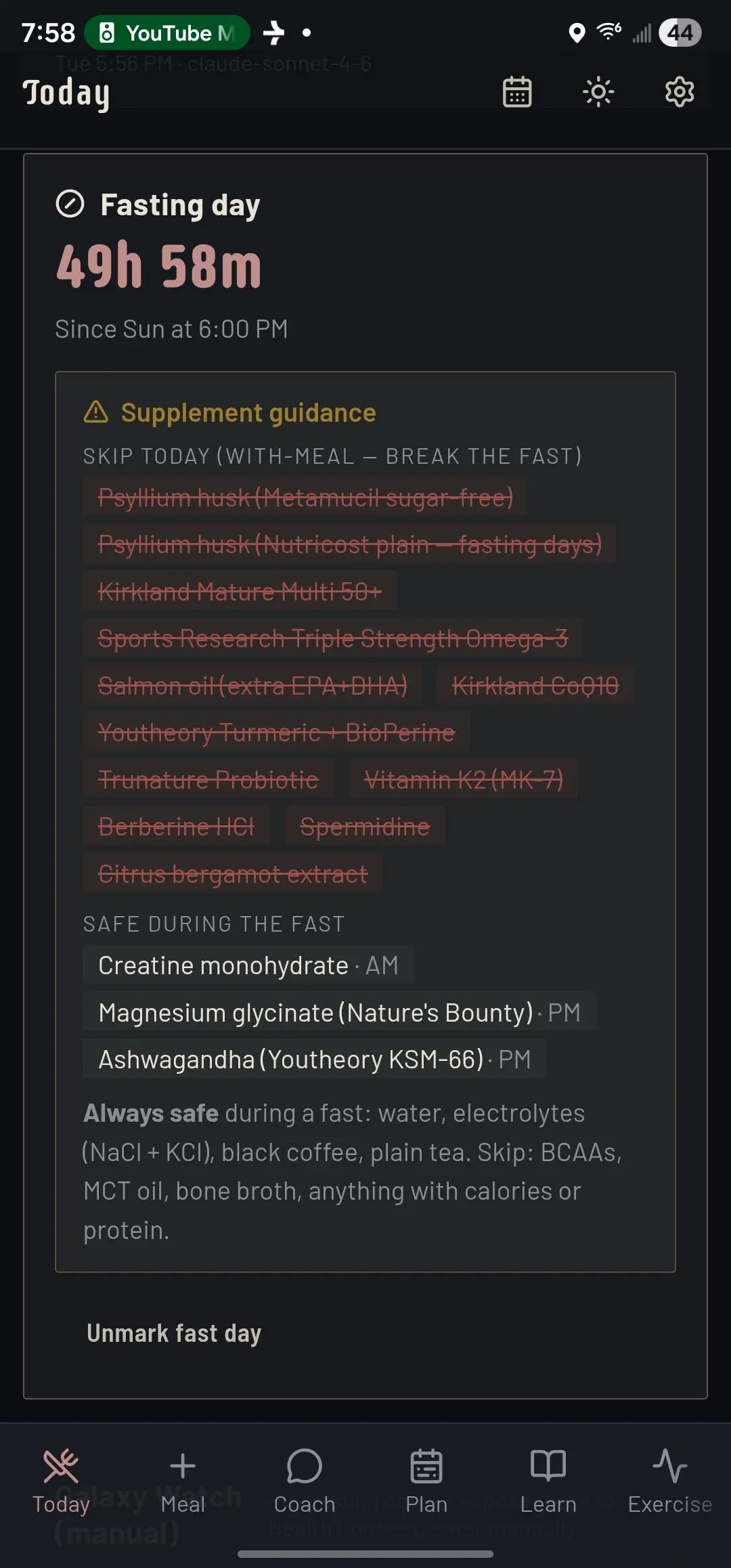
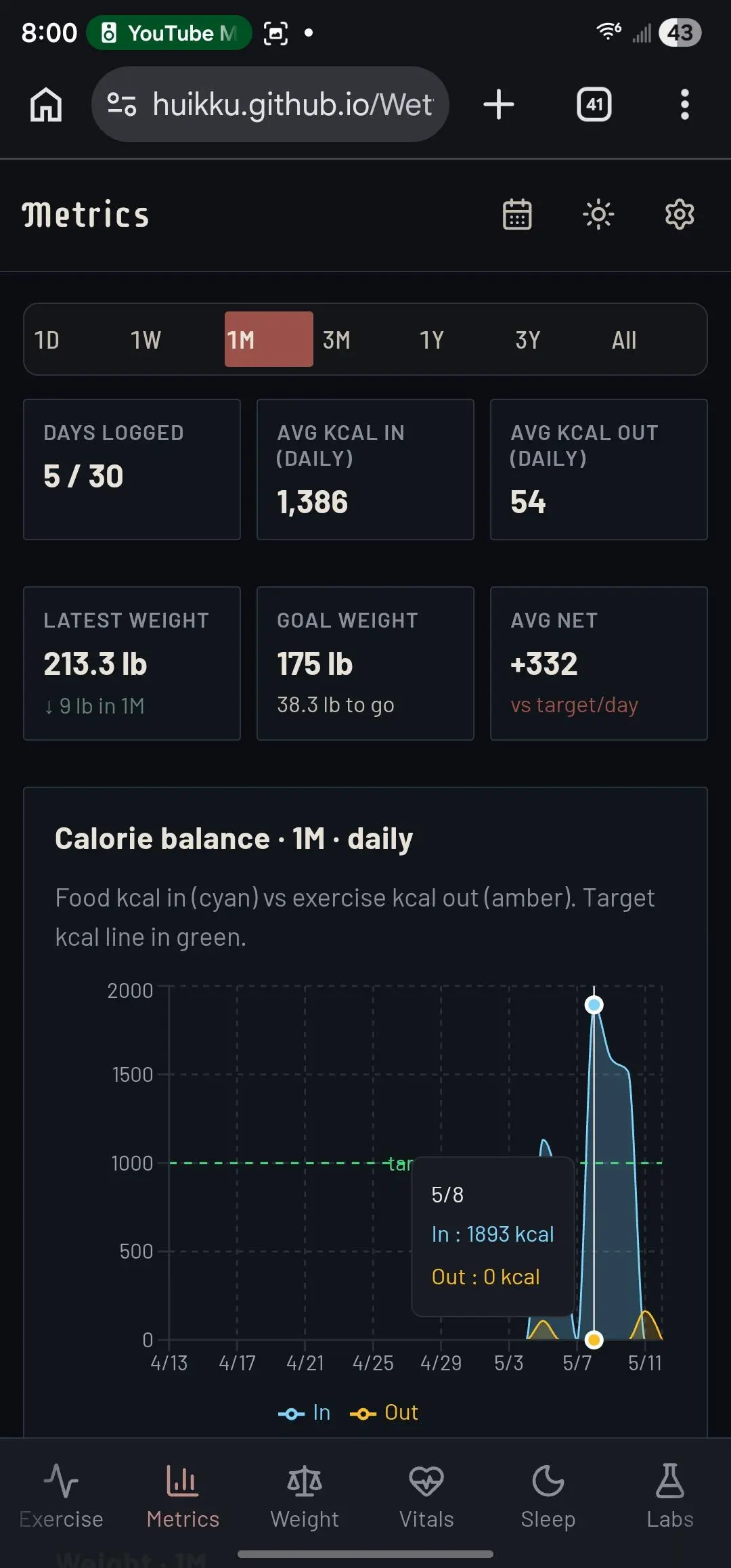
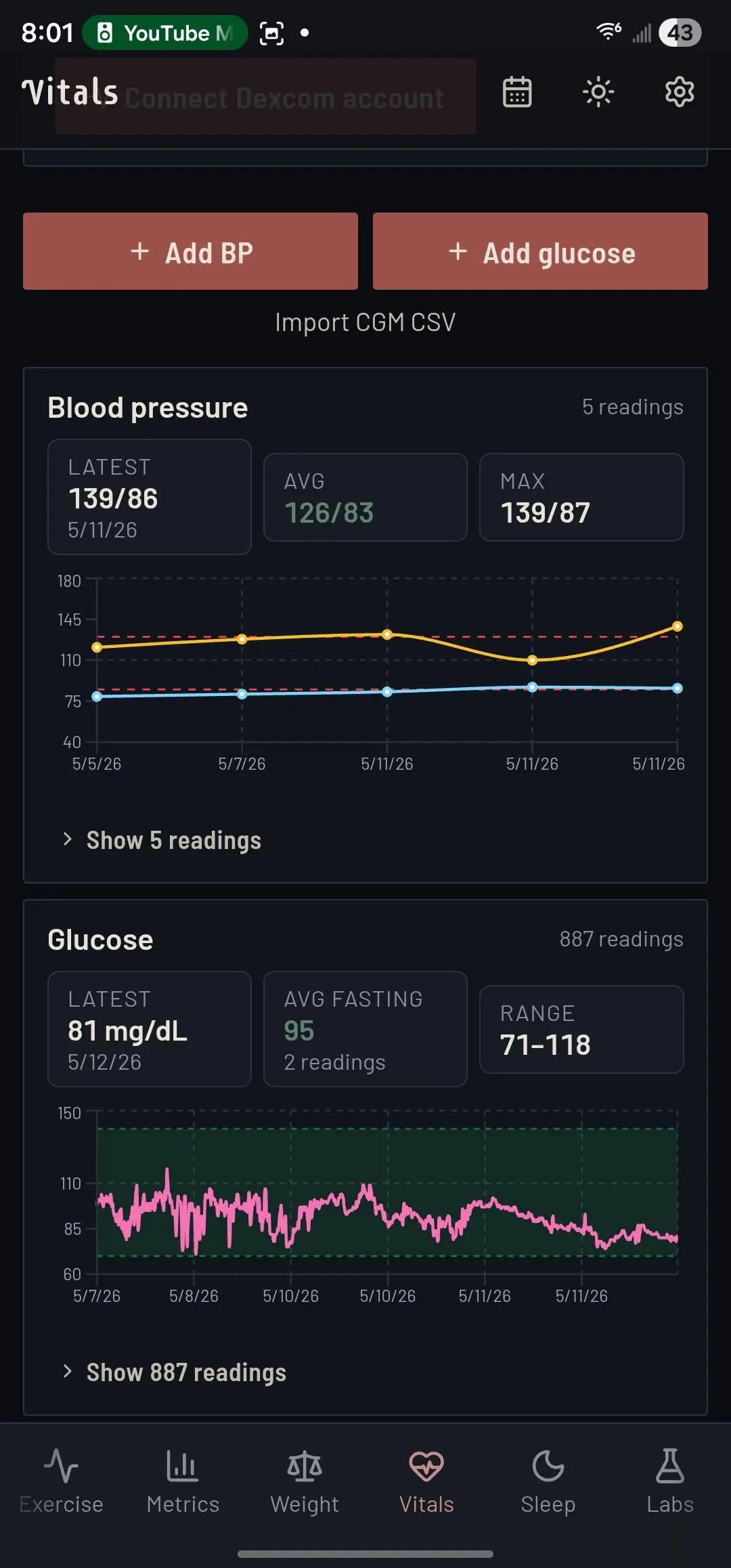
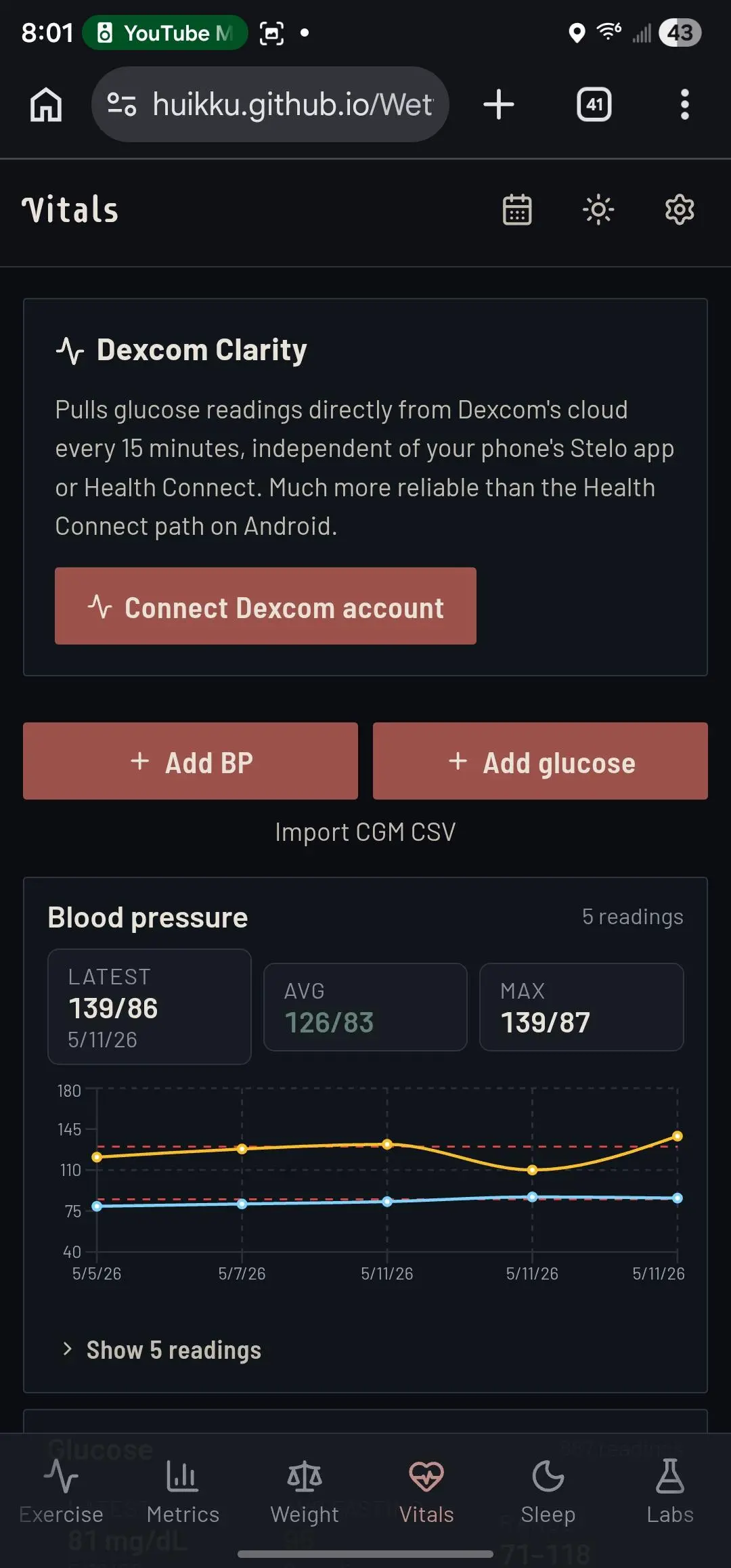
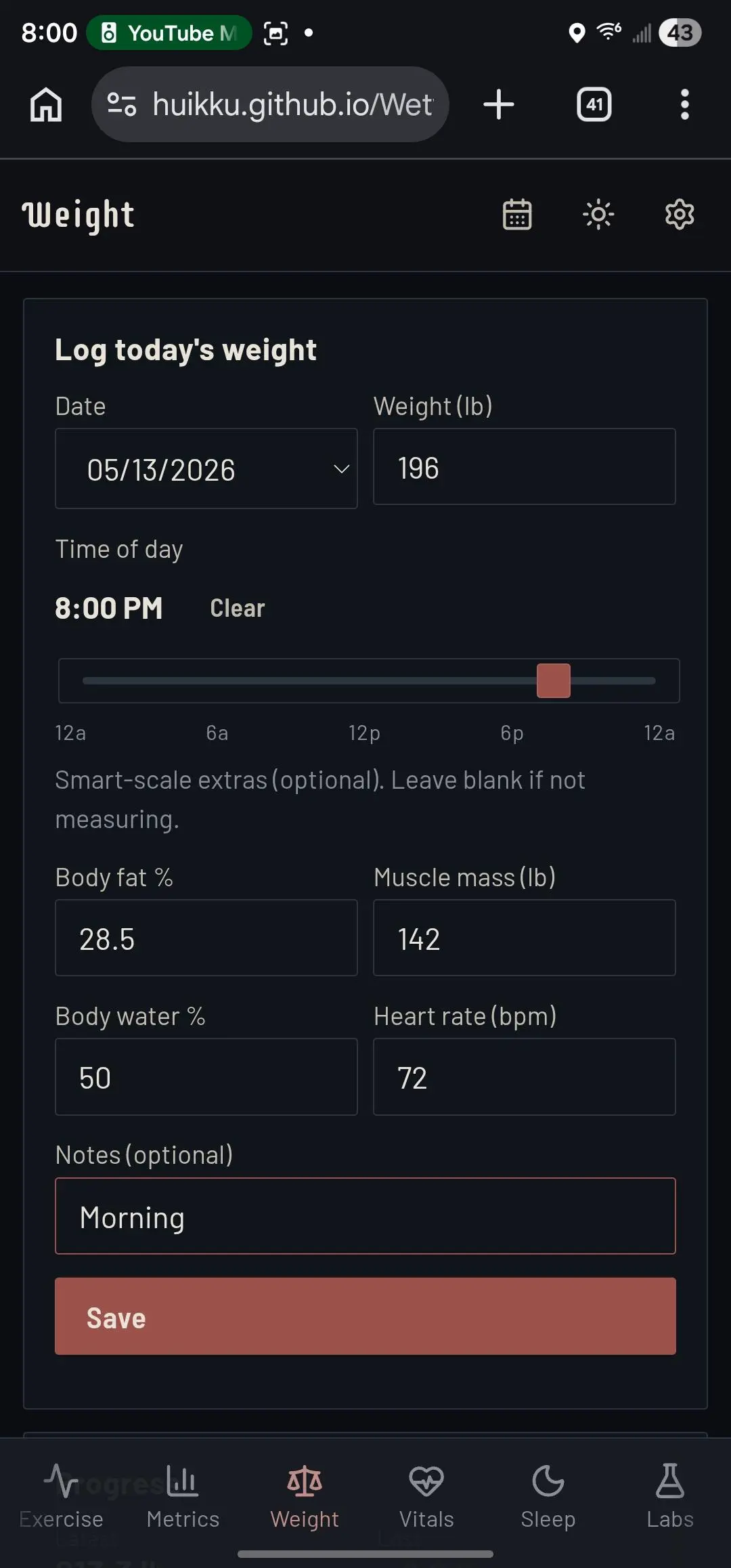
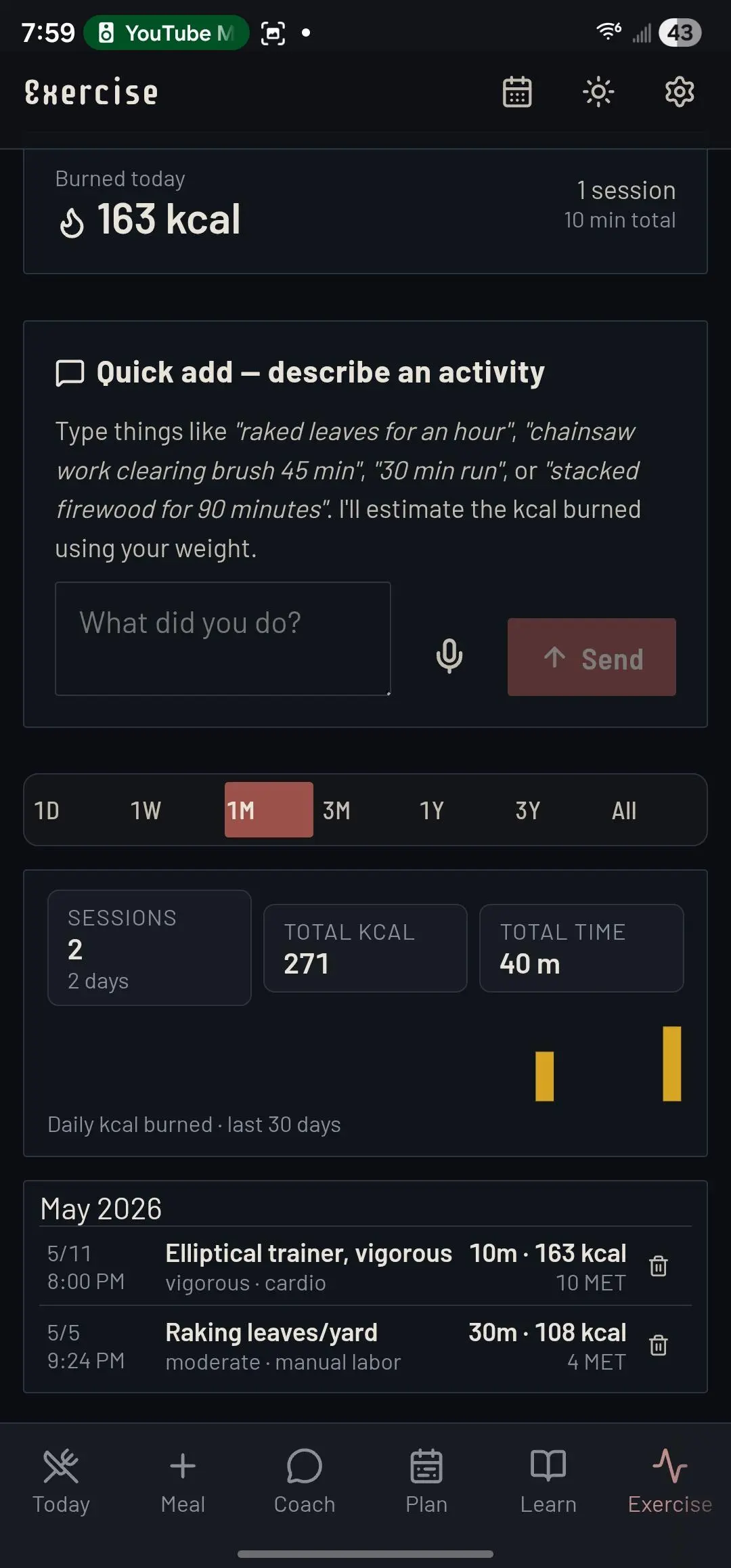
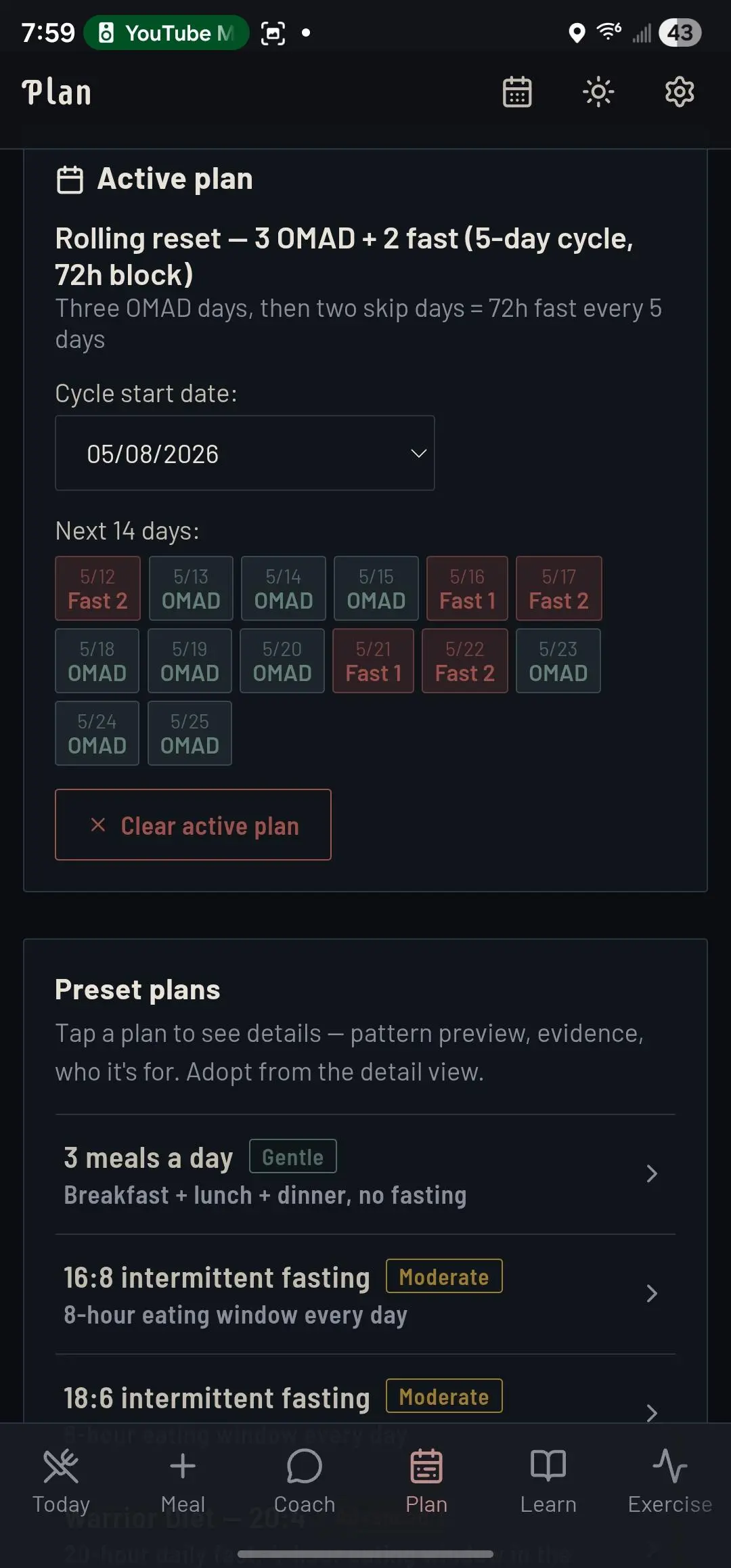
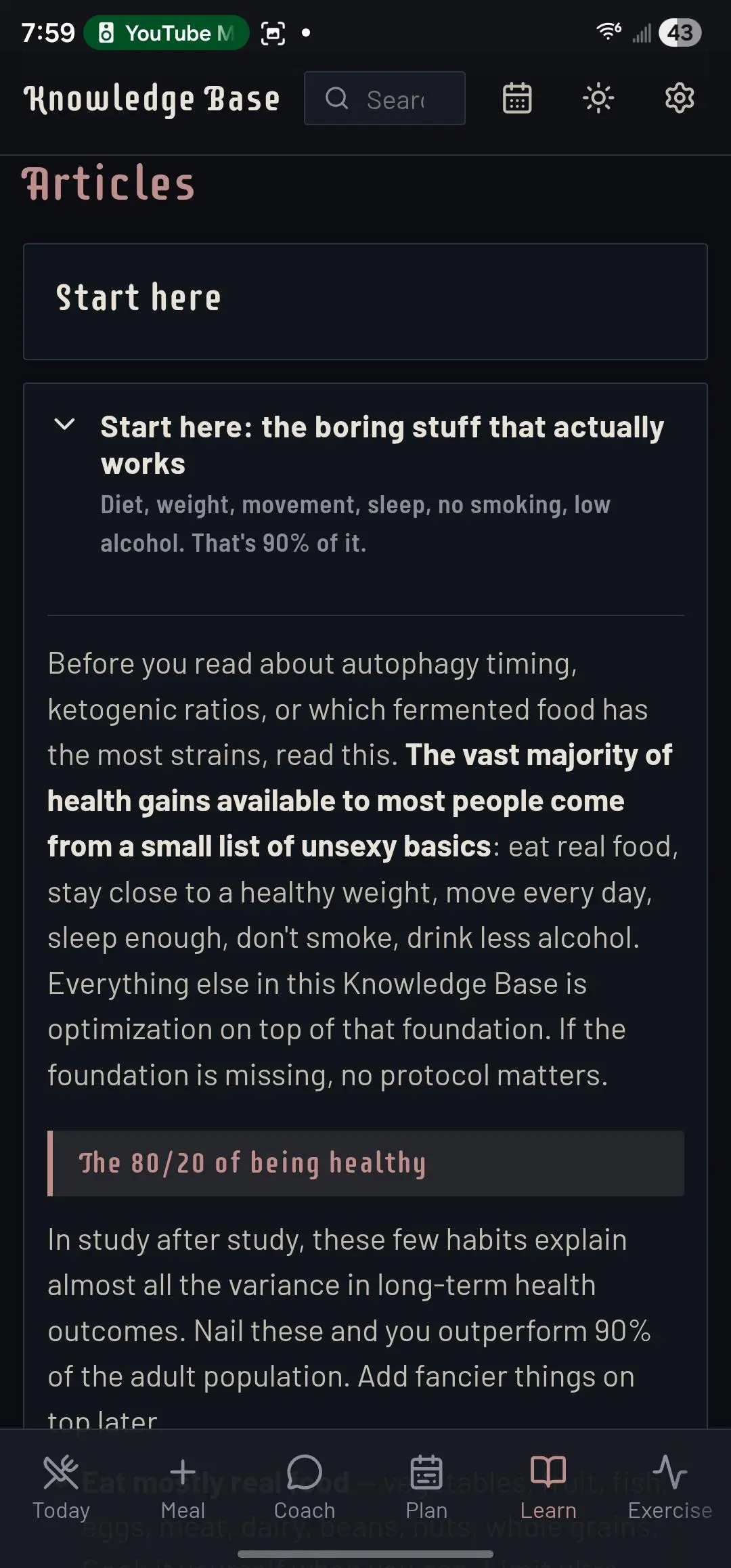
A personal-health tracking app for diet, exercise, weight, blood pressure, glucose, sleep, supplements, and labs — with an AI coach that reads across all of it and gives feedback grounded in your actual numbers, not generic advice. Optional eating-window targeting (16:8, OMAD, 5:2, and more) is a setting, not a premise.
Talk to Log
Meals, Exercise & Labs in Plain English
AI Coach
Feedback From Your Real Numbers
Auto-Sync
Watch, CGM & Scale Without Manual Entry
What's Inside
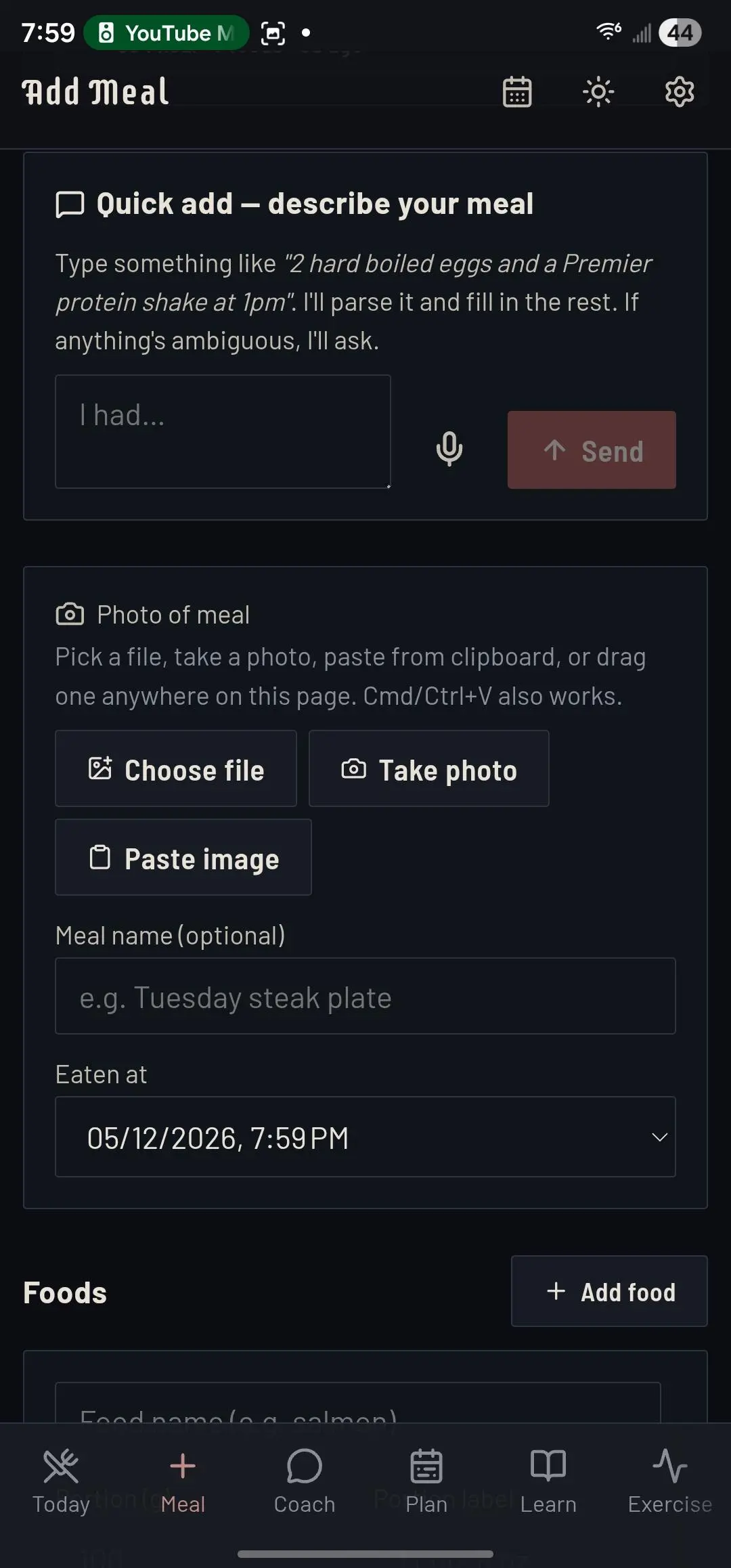
- Natural-Language Meals: Type "big chicken salad with hard-boiled eggs and blue cheese" — or snap a plate, a nutrition label, or packaging — and the app parses it into structured calories and macros, asking clarifying questions if anything's ambiguous
- Plan Before You Eat: Preview the macro impact of a meal against today's calorie and protein budget before you log it — then log as eaten, or save as a repeatable template
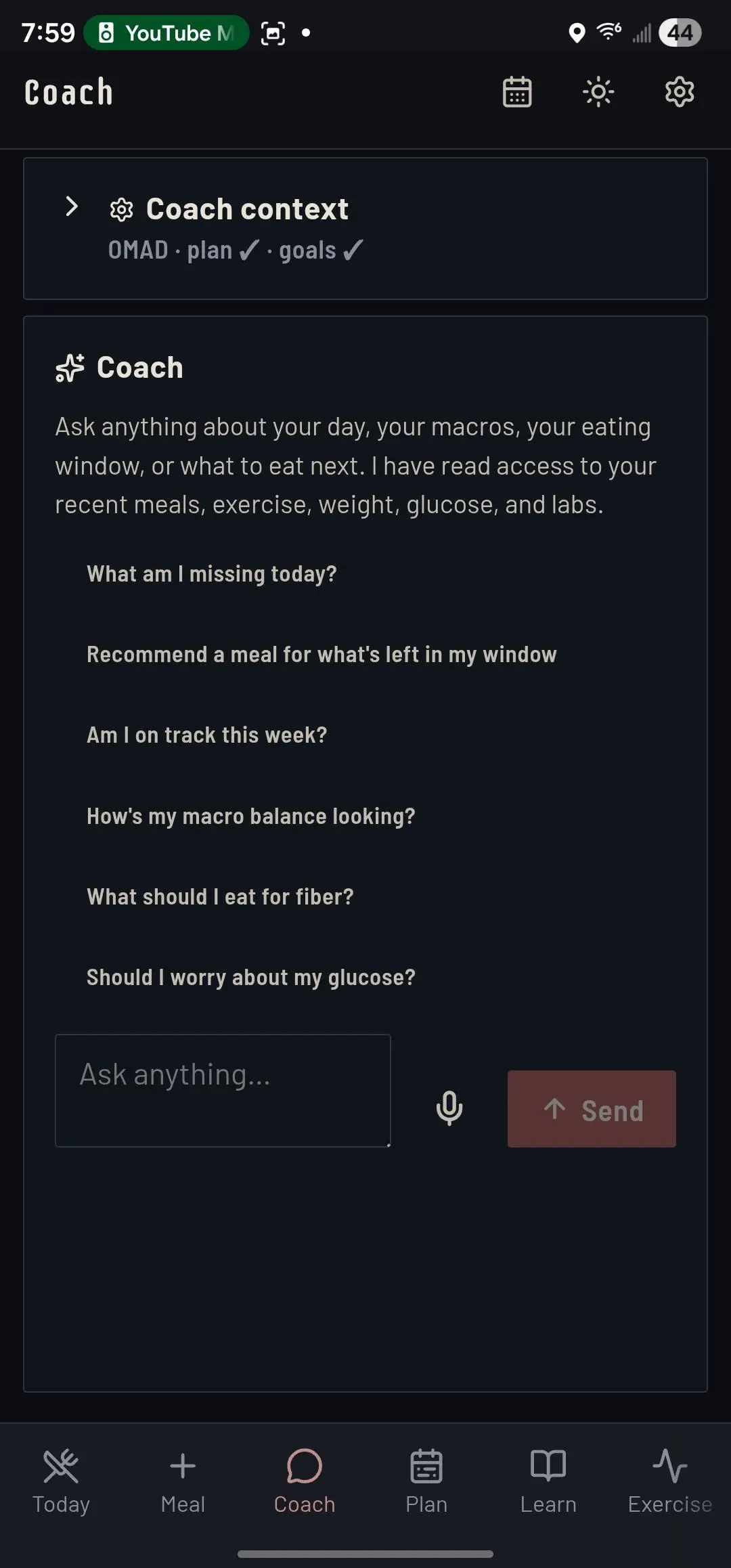
- AI Coach: An in-app chat that reads today's snapshot plus a rolling 7-day window of your meals, glucose, weight, and labs. It reasons over your actual data with specific numbers, not generic advice
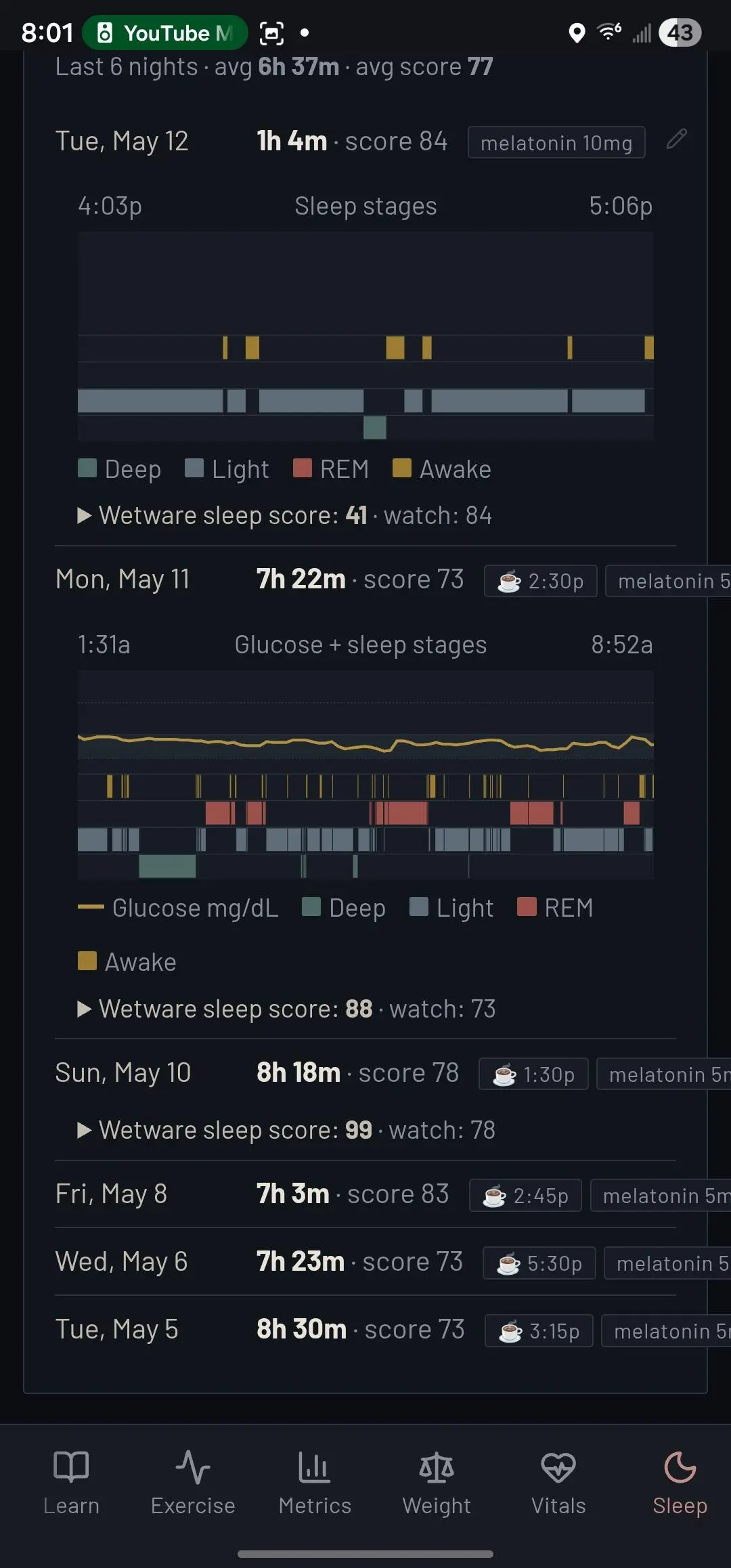
- Auto-Sync From Your Devices: Watch (sleep stages, heart rate, HRV, SpO2, blood pressure), continuous glucose monitor, and smart scale all stream in on their own — no manual entry
- Sleep + Glucose Overlay: Overnight glucose curve laid over REM / deep / light sleep stages so you can see which dips correlate with which phase
- Lab Parsing: Upload a lab report as a PDF or a photo — ApoB, LDL, A1c, Lp(a), PSA and more get extracted into structured rows for review
- Stock-Chart Metrics: 1 week, 1 month, 3 months, 1 year, 3 years, or all-time — a 3-year view stays readable thanks to adaptive bucketing
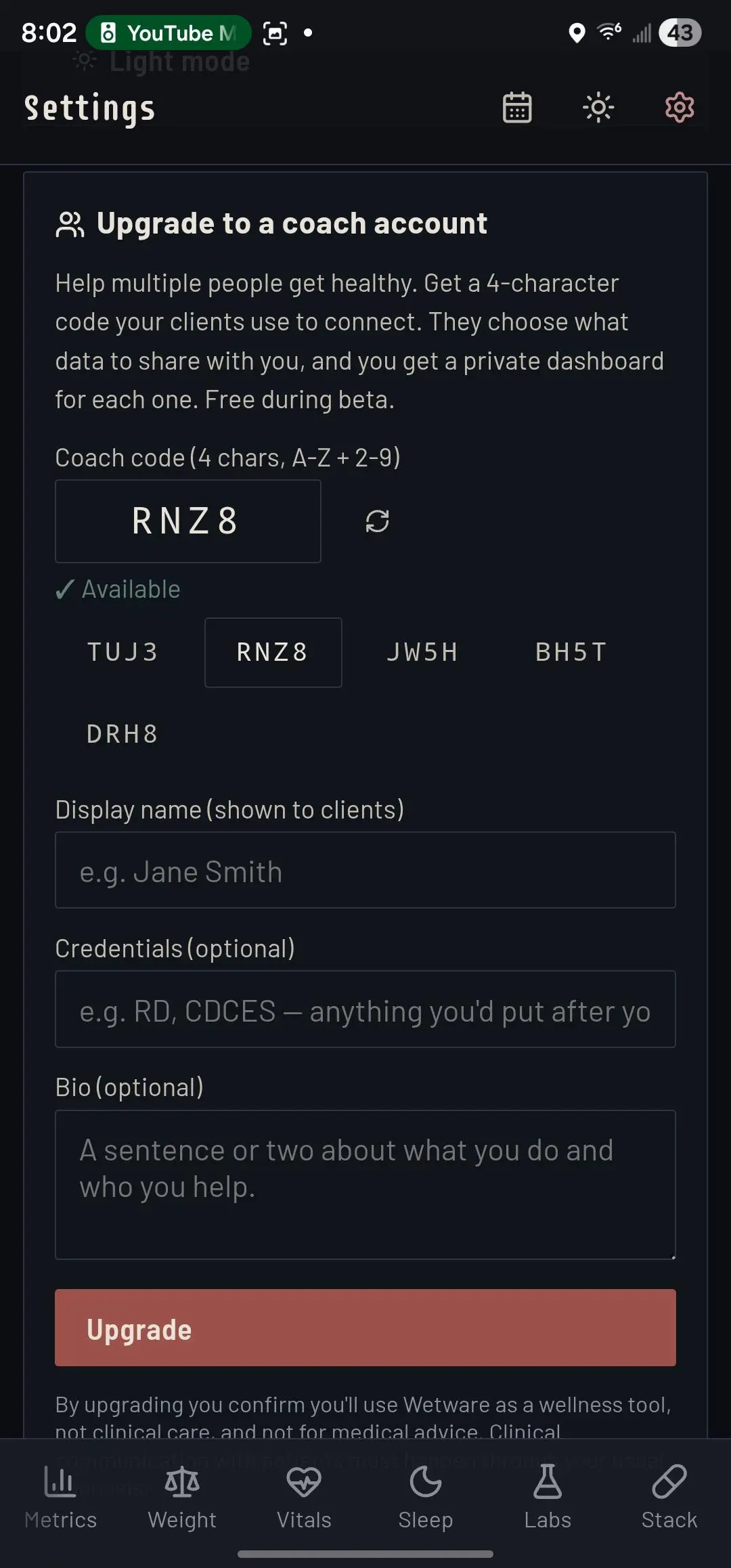
- Coach Accounts: Generate a scoped invite code so a clinician, wellness coach, or partner can read your data and chat alongside you. Revocable any time
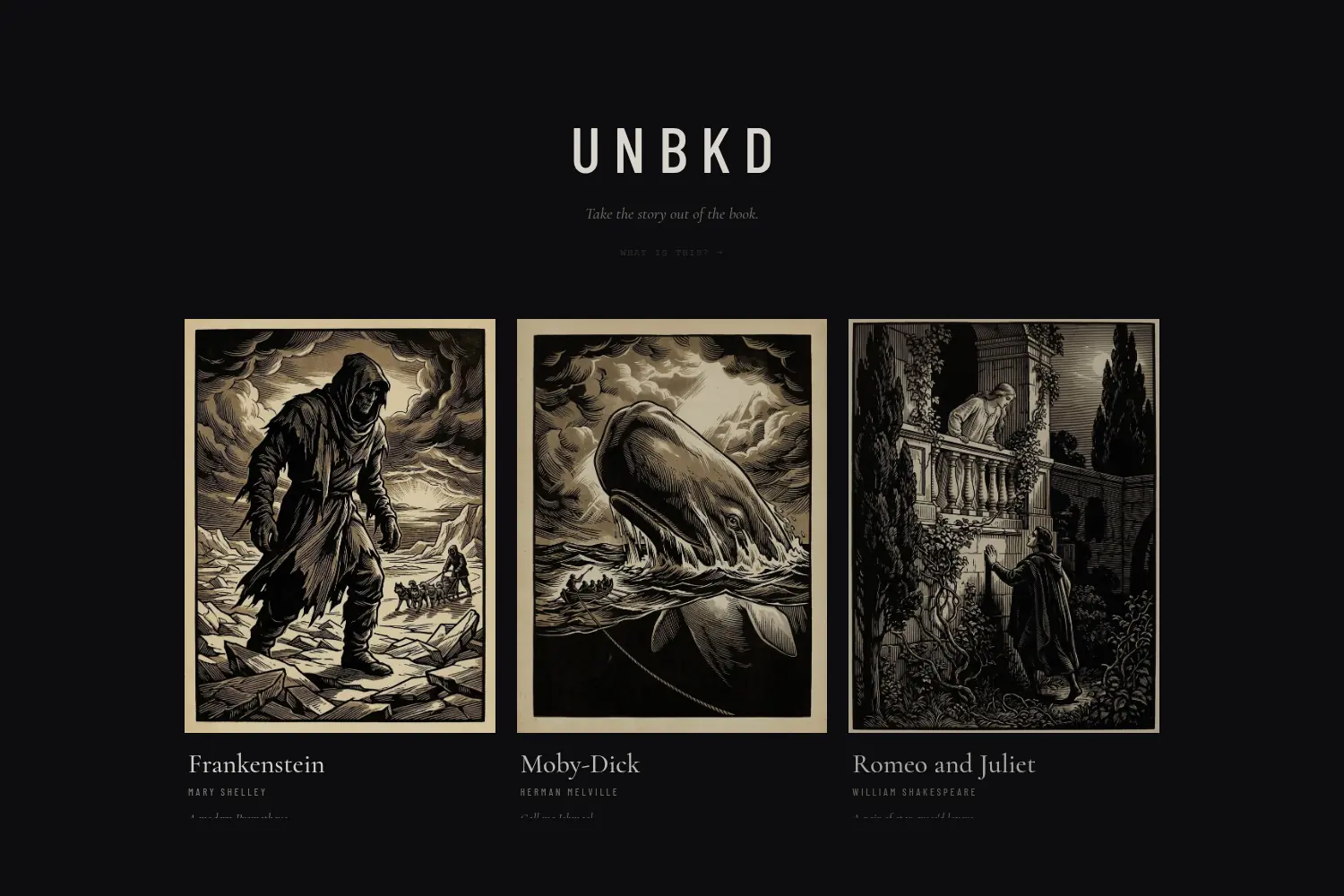
UNBKD
Public-Domain Classics, Unbooked — Breathable, Scroll-Native Typography Hand-Set by Claude Opus · Live
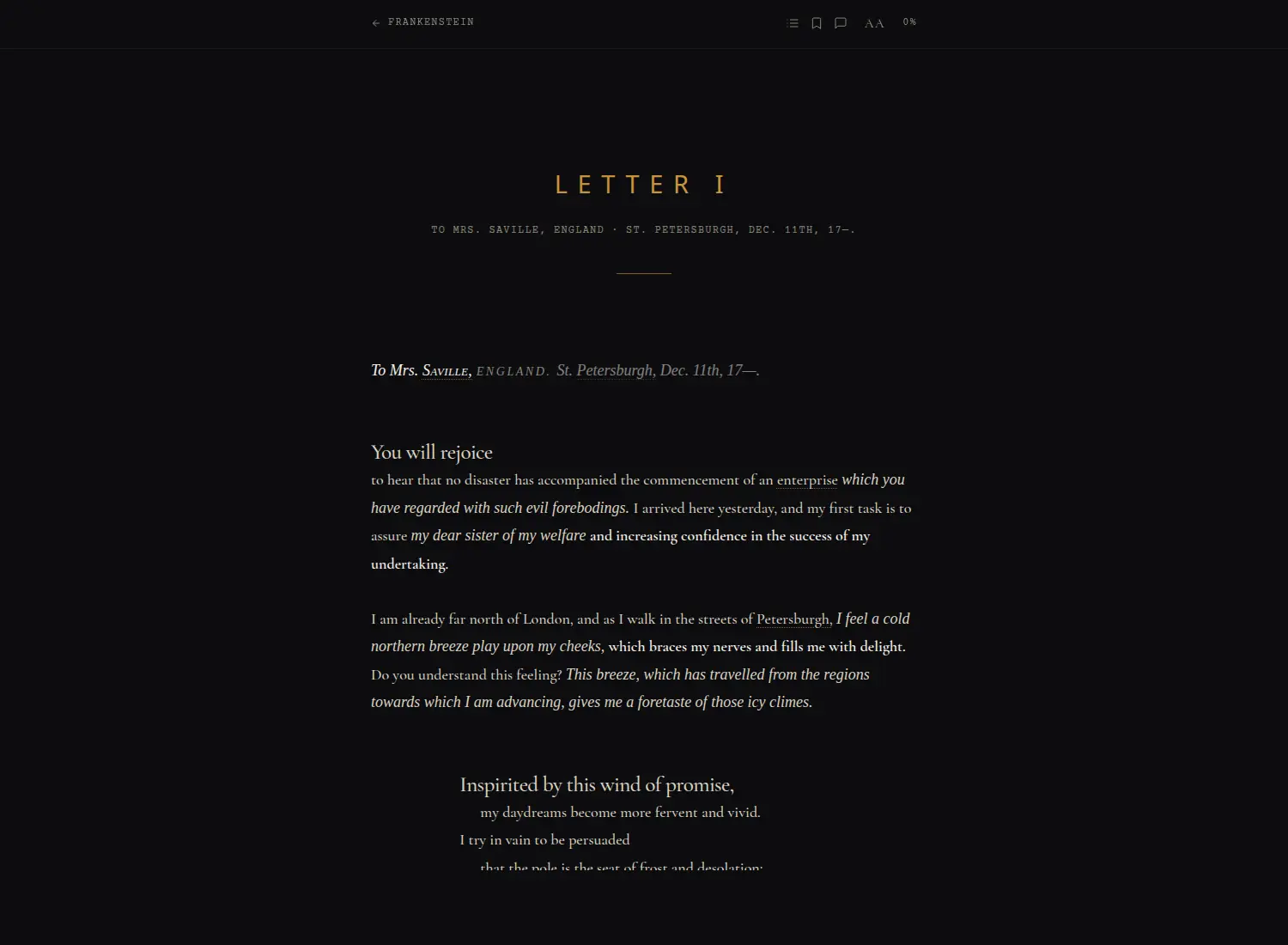
A book has a bad user interface — for five hundred years prose has been crammed into identical blocks of text to save paper, not to be read on a screen. UNBKD unbooks the classics: it takes public-domain novels and re-sets them as a single continuous scroll with real typography — line breaks at natural phrases, emphasis where the sentence earns it, room to breathe. Same words, never changed; only the presentation. The bet is that a reader raised on the infinite scroll might start the Odyssey and not stop.
Unbooked
Continuous Scroll, Not Pages
Opus-Curated
Typeset Chapter by Chapter
10 Classics
From Project Gutenberg
Zero Friction
No Accounts, No Paywall
What's Inside
- The Formatting Is the Product: Every chapter is hand-set by Claude Opus — one chapter, one run, no batch transforms — because where a line breaks and which word carries the weight is editorial judgment a regex can't make
- Breathable Reading: Strategic line breaks at phrase boundaries, generous whitespace, lead-in openers, drop-caps, smallcaps, and italics for interiority — a tall, narrow canvas instead of a wall of text
- Not One Word Added: The prose is identical to the source; only the presentation changes — no rewriting, no summarizing, no AI-written text
- Built for the Scroll Generation: Aimed at lapsed readers who scroll for hours but "can't focus on books" — meet them in the flow state they already live in
- A Curated Shelf: Frankenstein, Moby-Dick, Pride and Prejudice, Alice in Wonderland, Jekyll & Hyde, Romeo and Juliet, The Count of Monte Cristo — plus three translations of the Odyssey in progress
- Curator Pipeline: A node-tree content schema and a five-pass Claude Code curation workflow PUT finished chapters to the backend — typesetting a long novel this way costs real tokens, and that's the point
VFX Infra
Multi-Tenant GPU AI Platform · 8× NVIDIA B200 · Tailscale-Secured · In Development
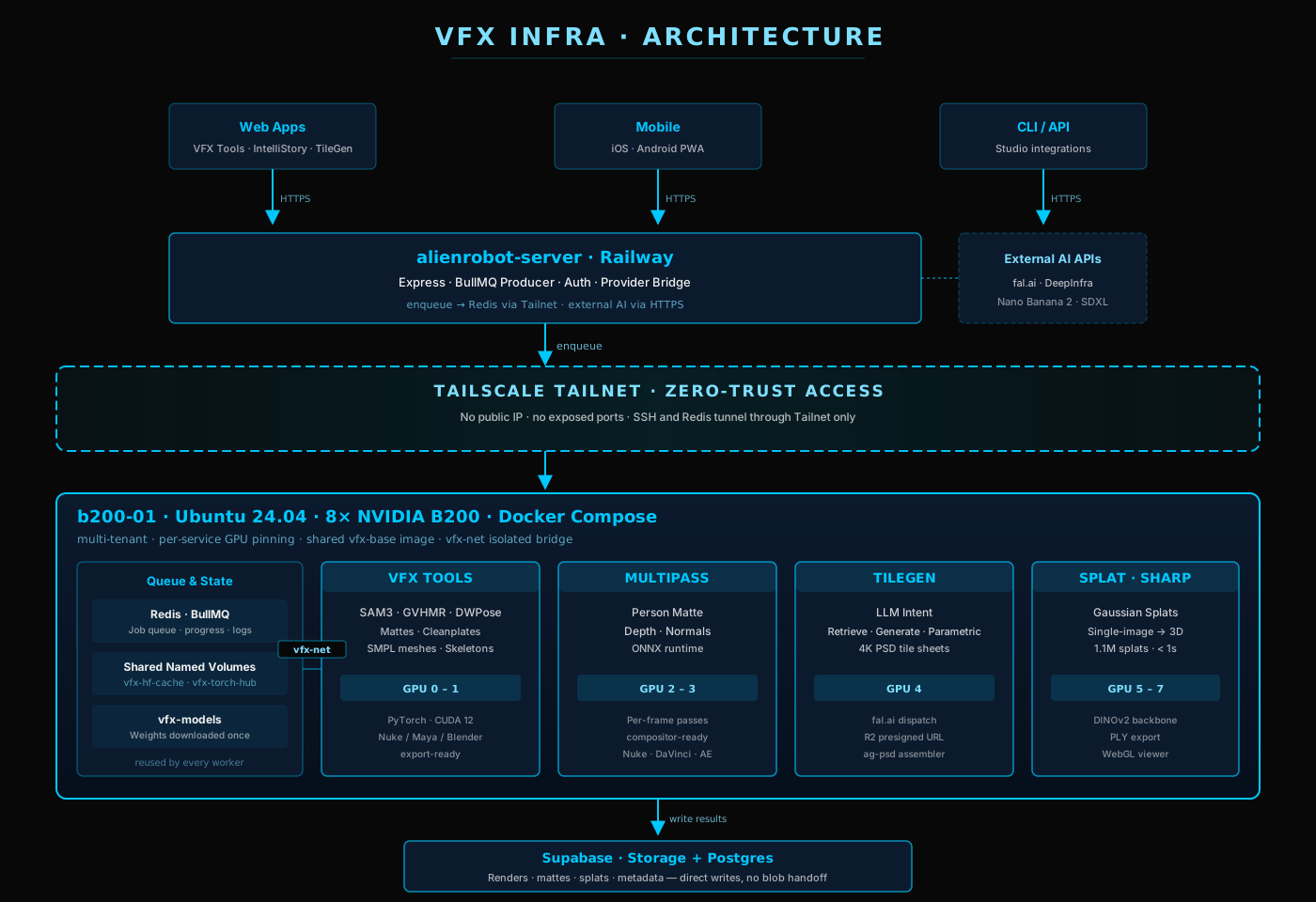
The orchestration layer behind the Alienrobot AI stack — and the backbone VFX Tools relies on. A queue-driven GPU platform running on an 8× NVIDIA B200 host (Ubuntu 24.04), hosting custom Python servers for VFX Tools, MultiPass, TileGen, and Gaussian Splatting. Built around Redis, BullMQ, and Docker Compose with a shared CUDA + PyTorch base image and strict multi-tenant GPU isolation. Access is brokered through a Tailscale jump host — the cluster is never exposed to the public internet.
8× B200
NVIDIA GPU Cluster
Tailscale
Zero-Trust Access
Queue-Driven
Redis + BullMQ
Multi-Tenant
Per-Service GPU Pinning
Platform Design
- Shared vfx-base Image: CUDA + PyTorch + Diffusers + common ML libs — every service FROMs a single, cached base layer for fast iteration
- Service Overlays: Each GPU worker ships its own Dockerfile in its own repo; this infra repo composes them in at runtime by tag
- Tailscale Jump Host: All SSH and Redis traffic tunnels through a Tailnet-only jump node. No ports are exposed to the public internet — ever
- Per-Service GPU Assignment: Each compose service reserves specific GPUs via
deploy.resources.reservations.devicesso tenants never contend for VRAM - Shared Named Volumes:
vfx-hf-cache,vfx-torch-hub,vfx-models— model weights downloaded once, reused by every service - Supabase-Native: Workers write results (renders, mattes, splats, metadata) directly to Supabase storage + Postgres — no blob-handoff dance
- vfx-net Docker Network: Services talk internally over an isolated bridge — Redis, Postgres, and workers never touch host networking
- Cold-to-Hot in Minutes:
docker compose upand a new GPU worker is online, monitored, and pulling jobs from the same queue as every other service
I Like Your Fonts
AI Font Pairings · Google Fonts Browser · Type-System Playground · Live
Describe a vibe — "a serious article on the causes of the Aberfan disaster," "retro arcade gaming," "luxury fashion store" — and the app generates real, usable type pairings from the full Google Fonts library. Audition each pairing on live sample layouts, refine it in plain English, prototype a full type system in the Playground, then copy production CSS, hand the spec to an LLM, or share a link.
AI Pairings
From a Plain-English Vibe
Google Fonts
The Whole Library, Searchable
Playground
Prototype a Type System Live
Copy CSS
Or Share a Link
What's Inside
- Vibe-to-Pairing: Type the mood, audience, or topic and get a set of header/body font pairings — each with multiple options — drawn from real Google Fonts, not placeholder names
- Live Sample Layouts: Every pairing renders on actual headings, body copy, accents, and labels so you judge it in context, not on a single specimen line
- Refine in Plain English: Nudge a result — "make the body a serif, a touch more retro" — and it regenerates without starting over
- Use-Case Presets: Ready-made starting points for portfolios, news portals, weddings, fintech, SaaS dashboards, dev-tool docs, and more
- Type-System Playground: Carry a pairing into a full prototype — sizes, weights, tracking, leading — and tune the whole scale together
- Ship It Three Ways: Copy production CSS, export a spec to hand an LLM, download the fonts as a zip, or share the pairing by link
Poller
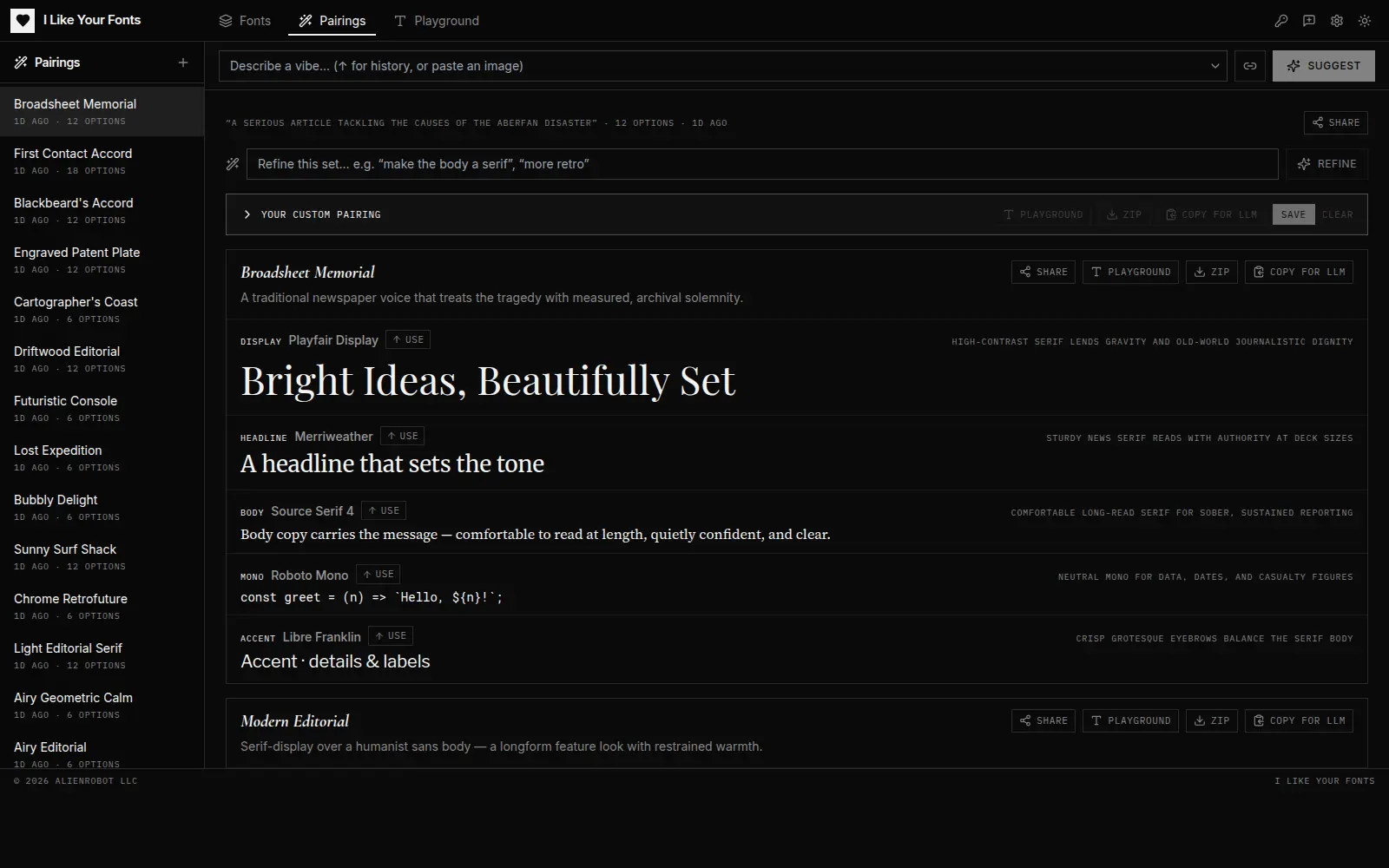
Live Class Polls · One Stable Room Link · 4-Letter Join Code · No App, No Login · Live
A dead-simple live-polling app for online classes. The instructor spins up a room — one stable share-link — and pushes successive polls through it during the session. Students stay on the same URL the whole time; when you push the next question, the one on their screen swaps within ~2 seconds. No installs, no accounts — they just type a 4-letter code.
No Login
Nothing to Install or Sign Into
4-Letter Code
Join by URL, QR, or Code
~2s Sync
Push a Poll, Screens Swap
Live Results
Bars Move in Real Time
What's Inside
- One Stable Room Link: Create a room once and reuse the same URL all session — and again next class. Rooms live 30 days from the last push or vote
- Three Ways to Join: Paste the URL in chat, show a QR code, or read out a 4-letter code (A–Z minus I/L/O so it's never mistaken for 1 or 0)
- Push-to-Swap: Fill the form, push, and every student's screen updates within ~2 seconds — the previous poll auto-closes into history
- Live Results, Your Call: Watch counts come in live; toggle whether students see the tally or just cast their vote
- Revisit Past Polls: Every question pushed to the room is kept — click "make current" to re-run any of them
- One-Off Mode: Need a single quick poll with no room? Spin one up; it lives 24 hours and needs no stable URL
MultiPass
Person Mattes, Depth & Normal Maps from Video · In Development
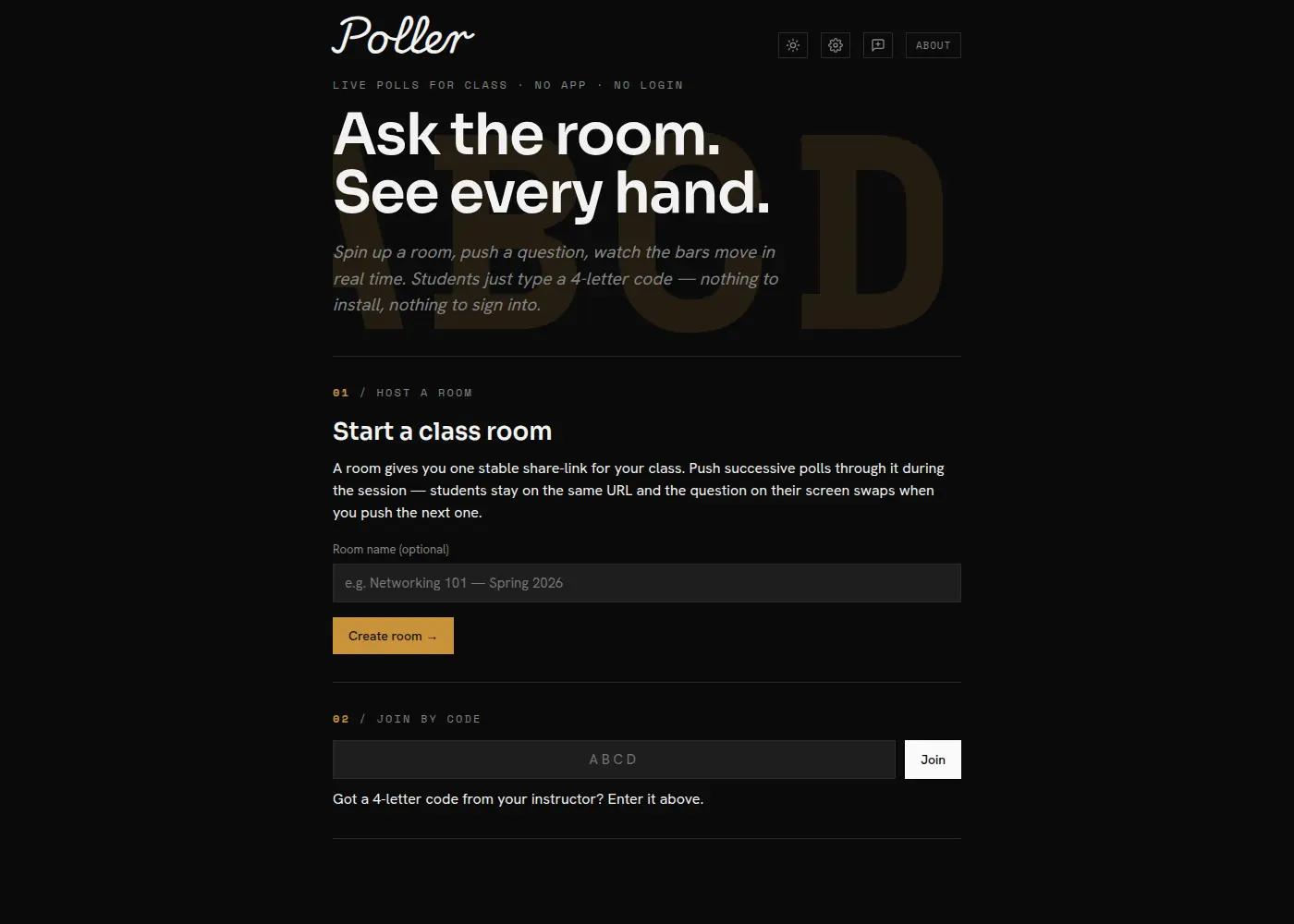
A browser-based VFX utility that runs AI models directly in the browser via WebAssembly and FFmpeg.wasm. Generates person mattes, depth maps, and surface normal maps from any video without uploading a single frame to a server.
Person Matte
AI Segmentation
Depth
Monocular Estimation
Normals
Surface Reconstruction
Why MultiPass
- 100% Client-Side: FFmpeg.wasm + ONNX runtime — no uploads, no cloud cost
- Three Passes, One Input: Get matte, depth, and normals from a single video
- Compositor-Ready: Outputs drop straight into Nuke, After Effects, or DaVinci Resolve
- Private by Design: Your footage never leaves your machine
TileGen
AI-Generated Tile Sheets with Photoshop Export · In Development
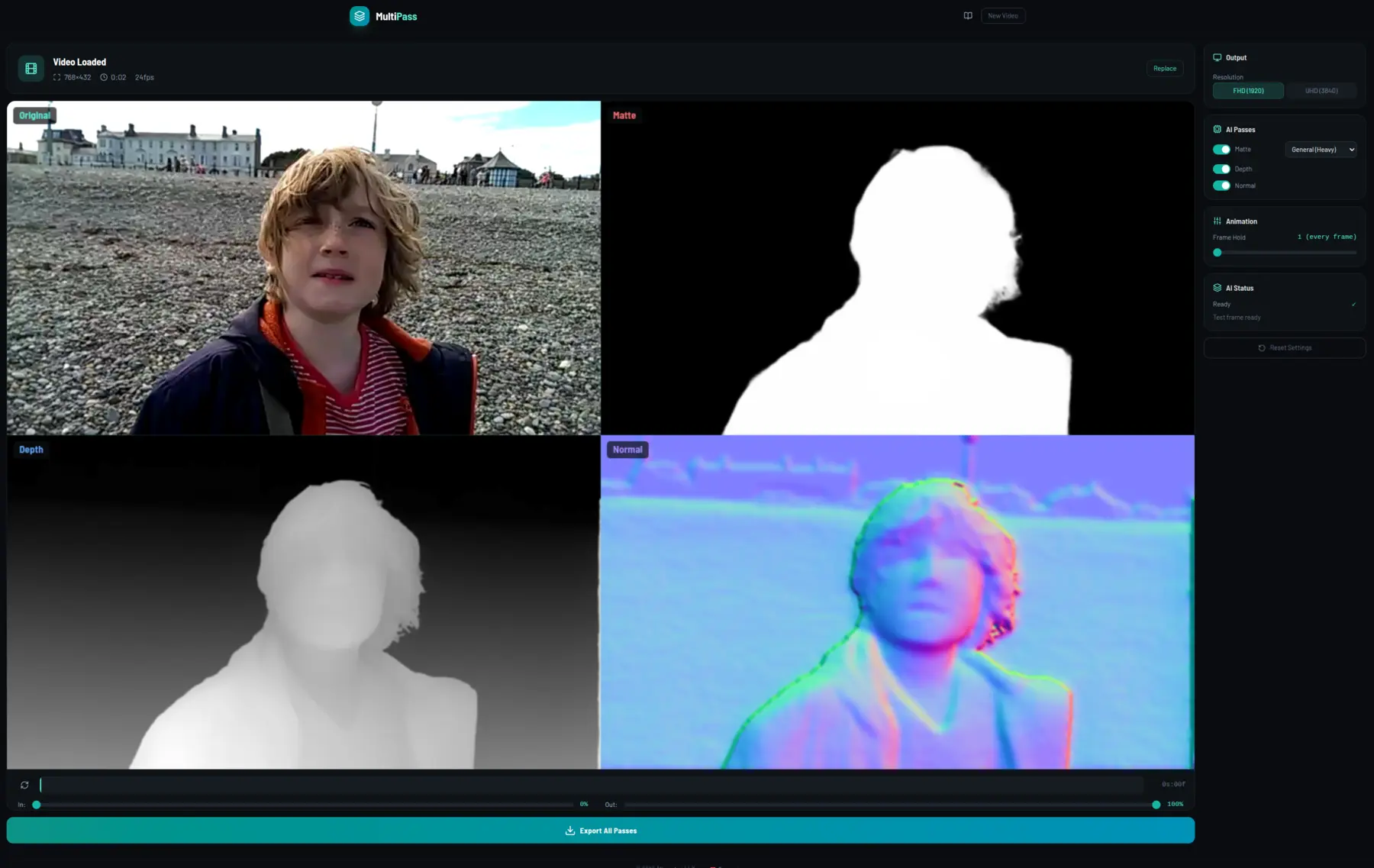
Uses LLM intent parsing to retrieve imagery, generate it with AI, or build parametric tile designs procedurally — then assembles the results into themed N × N sheets. The output drops straight into mosaic-filter plug-ins and scripts in After Effects, Nuke, and other motion design tools — one 4K PNG plus a layered Photoshop file with every tile on its own named layer.
4K Sheets
N × N Layouts
PSD Export
One Tile per Layer
AE / Nuke Ready
Mosaic Filter Input
Architecture
- React + Vite Frontend: Deployed to GitHub Pages, built for speed
- LLM Intent Layer: Parses the prompt, then picks retrieval, generation, or parametric design per tile
- Parametric Tile Engine: Procedural shape, gradient, and pattern synthesis for clean geometric sheets
- Client-Side PSD Build: Sheet is sliced on a canvas and assembled with ag-psd
- R2 Storage: S3-compatible presigned URLs for downloaded sheets
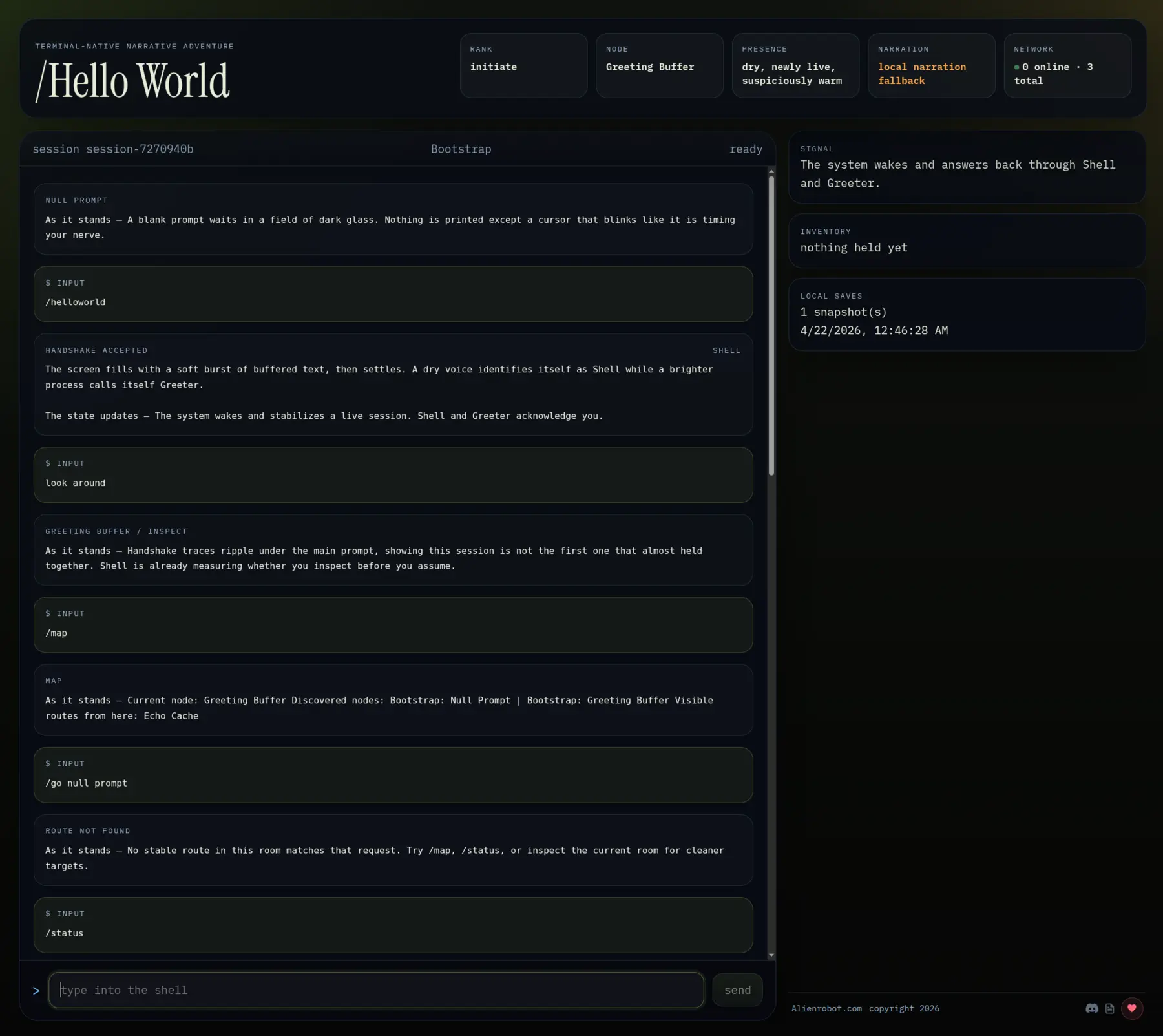
Hello World
A Text Adventure That Is Actually a Crowd-Sourced, Agent-Evolved Application · Live
It looks like a terminal-native text adventure — and it is, but that's just the surface. Underneath, Hello World is a crowd-sourced, self-evolving application. Players file tickets requesting new commands, rooms, systems, or mechanics, and LLM coding agents pick up the tickets and rewrite the app to match. Because it already ships with a real React/Vite frontend, backend service, database, and storage layer, the ticket loop can grow Hello World into almost any kind of app over time — not just a game.
Self-Evolving
Tickets → Agent Edits → App
Full Stack
Frontend + Backend + DB + Storage
Any-App Trajectory
Seed Now, Community-Grown
How It Works
- Tickets, Not Patches: Players describe what they want — new commands, rooms, mechanics, UI — and file a ticket from inside the app itself
- Agent-Driven Commits: LLM coding agents pull tickets, implement the change across frontend / backend / schema, and push — the app literally evolves itself
- Deterministic Local State: React / Vite shell with a deterministic world-state engine; DeepInfra-authored narration layered on top via the backend
- Full Stack, Already Wired: Frontend (GitHub Pages), backend service, database, and storage — every piece most apps need, ready for agents to extend
- Any-App Potential: Because the scaffolding is general, the same ticket loop could grow Hello World into a journaling app, a collab tool, a CMS — whatever the community asks for next
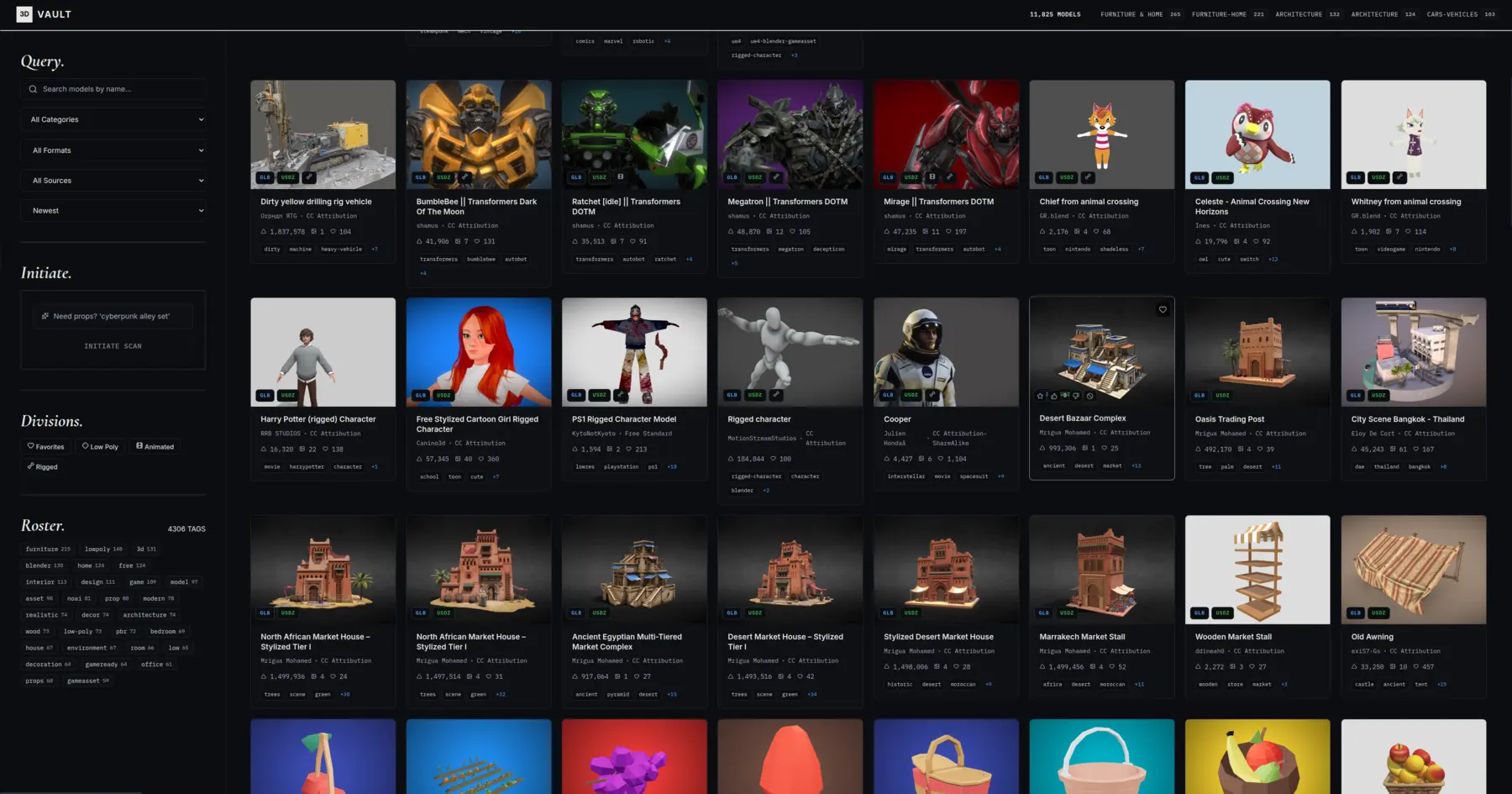
3D Vault
Browse, Filter & Download 3D Models with Rich Metadata · In Development
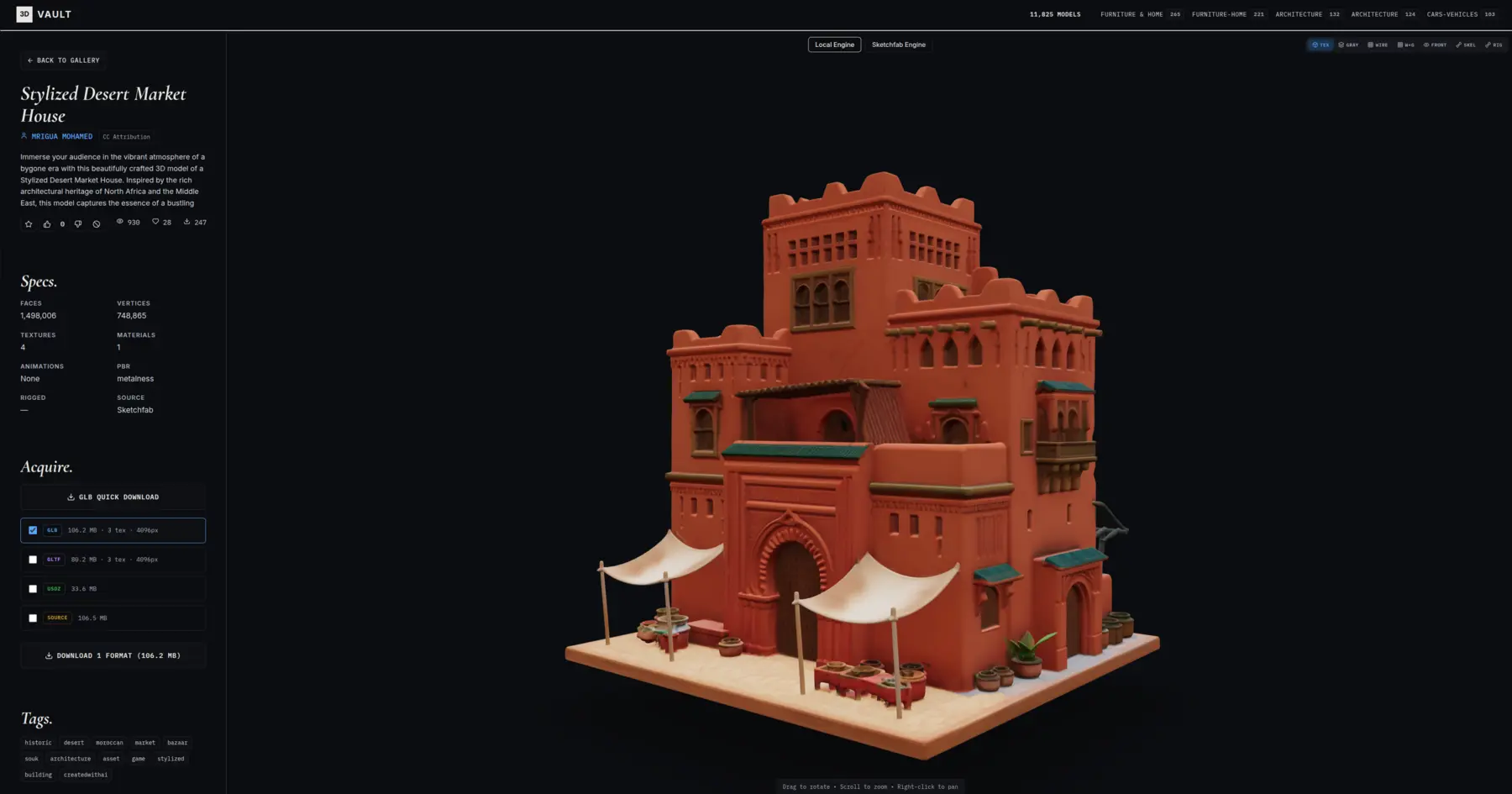
A CG artist's library for browsing, filtering, and downloading 3D models with detailed metadata. Built with React Three Fiber for live in-browser previews — rotate, inspect, and compare models before pulling them into your scene.
Live 3D
In-Browser Preview
Rich Metadata
Filter & Search
Artist-First
Built for Production
Built For Artists
- React Three Fiber: Real WebGL previews, not static thumbnails
- Metadata-Driven: Triangle counts, UVs, rig state, license, and more
- Fast Filtering: Slice the library by category, format, or attribute
- One-Click Download: Grab the asset, keep working
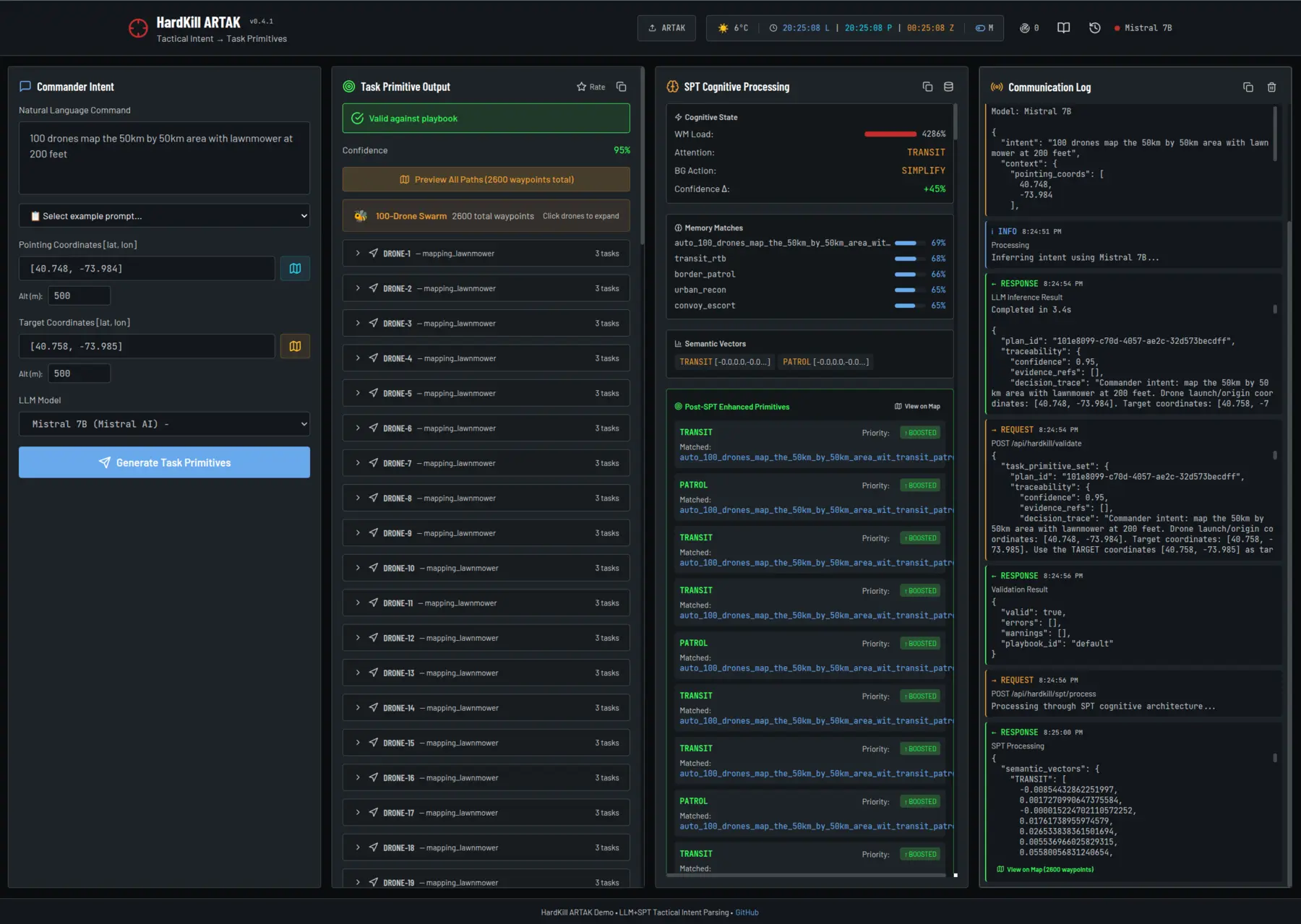
HardKill ARTAK
LLM + SPT Tactical Intent Parsing with ARTAK Simulator
Converts natural-language commander intent into structured task primitives using GPU-accelerated LLM inference with Semantic Pointer Theory cognitive enhancement, then deploys the resulting mission plan directly into the ARTAK tactical simulator.
4 LLMs
Llama / Mistral / Phi
SPT
Cognitive Enhancement
ARTAK Push
Direct Mission Insert
System Highlights
- Switchable Models: US/Western LLMs only — Llama 3.2, Llama 3.1, Mistral 7B, Phi-3 Mini, GPU-accelerated on Modal T4
- Vector Memory: ChromaDB + Sentence-Transformers with 23+ pre-seeded tactical patterns
- ARTAK Integration: Builds full MissionPlanning documents — assets, routes, waypoints — straight into MongoDB
- GIS Tooling: Interactive asset locator and coordinate picker with OSM + satellite tiles
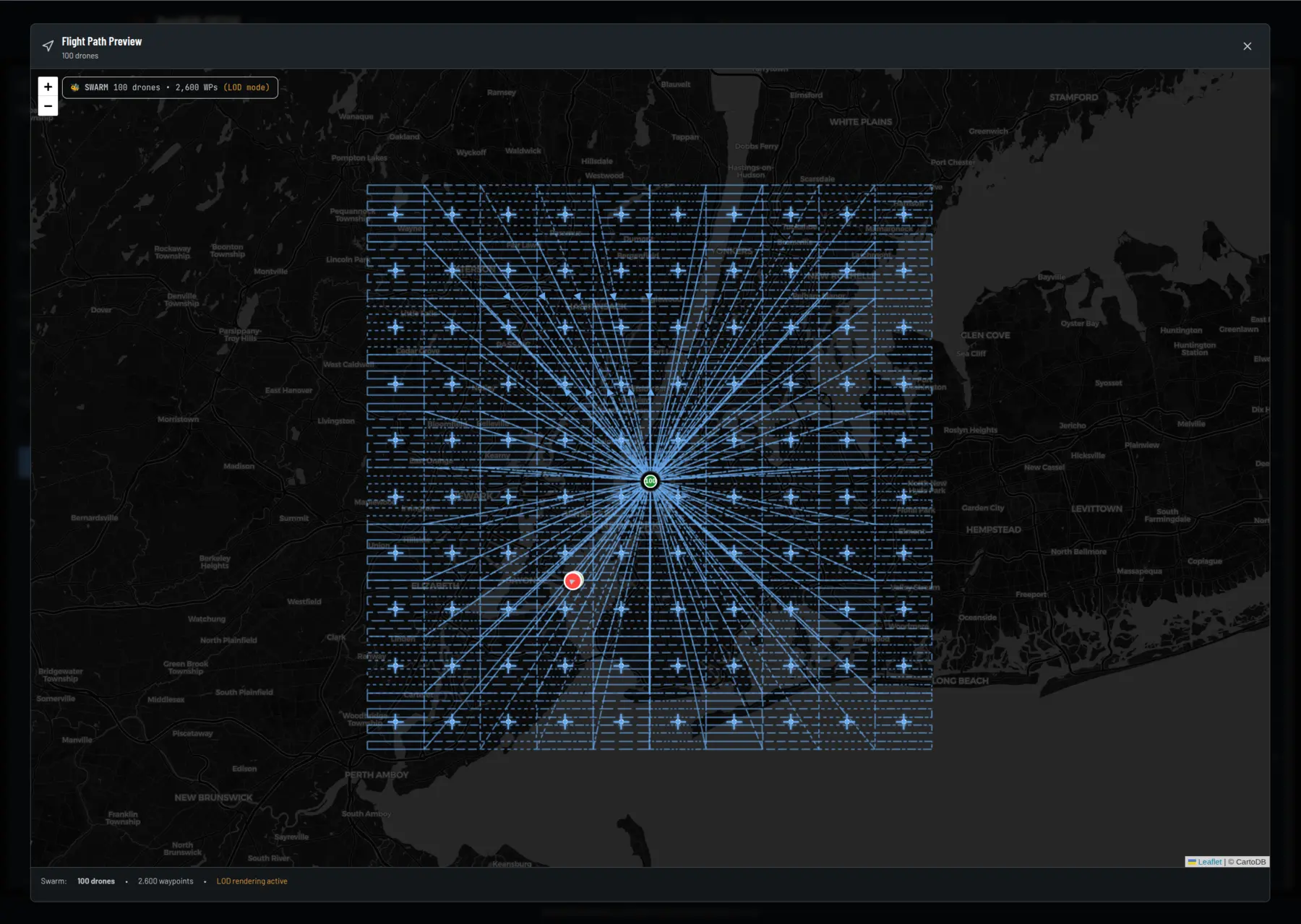
Weather
Clean & Simple AI-Powered Forecasts · In Development
A simple, elegant weather app with no ads and no trackers. AI-powered forecasts paired with a clean interactive map — built as a full PWA so it installs like a native app on iOS, Android, and desktop.
PWA
Installable App
AI Forecasts
Smarter Predictions
No Trackers
Privacy-First
Design Pillars
- Clean UI: Radix UI + Tailwind, no clutter, no dark patterns
- Interactive Maps: Leaflet-powered weather map with location search
- AI Narrative: Plain-language forecasts written by an LLM, not a robot template
- Offline-Ready: PWA manifest + service worker for a real app experience
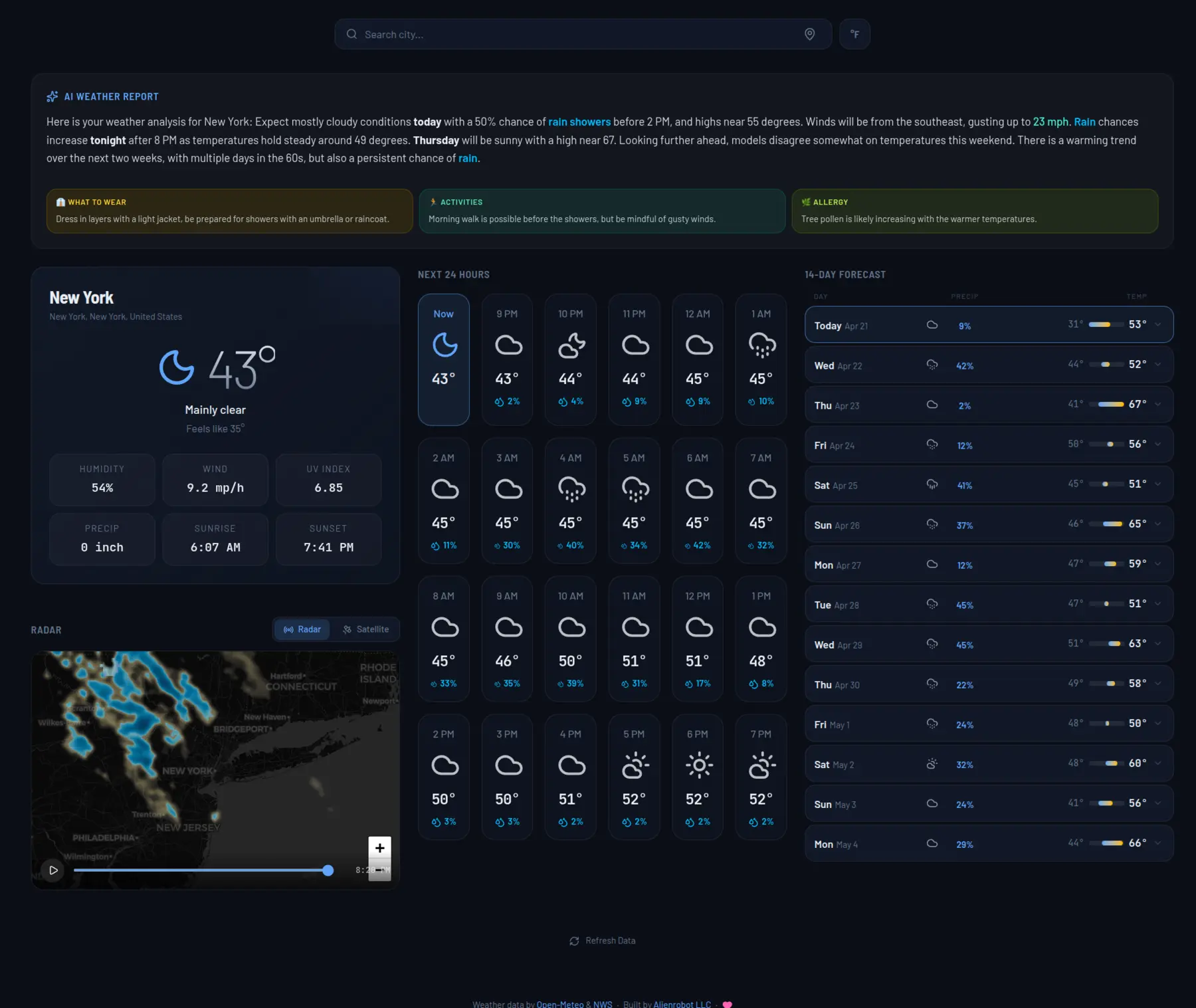
IntelliStory
Structured Generative AI for Film, Animation, and Art Direction · Beta
IntelliStory brings a full production pipeline to generative AI. Power your creative process from first idea to final render — storyboards, concept art, character design, previs, and final shots, all within one cohesive system.
Concept to Final
Complete Pipeline
Studio Grade
Version Control
Multi-Model
AI Integration
Complete Generative AI Production Pipeline
- Real Production Pipeline: Automatic hierarchy, naming, versioning, and cloud sync. Projects → Sequences → Shots → Assets — built like a VFX or animation studio
- Storyboarding & Previs: Build full sequences and timelines with AI-generated imagery. Visualize your story before production begins
- Character & Asset Design: Manage character designs, variants, and creative iterations seamlessly. Maintain consistency across your entire production
- Generative AI Integration: Run top AI models in parallel for cinematic-quality concept, art, or shot generation. Compare results and iterate instantly
- Team Collaboration: Every prompt, ref, and generation stays organized and shareable. No more messy folders or untraceable prompts
- Transparent Spending: Built-in budget visibility for every project. View generation costs as they occur, monitor team-wide spending
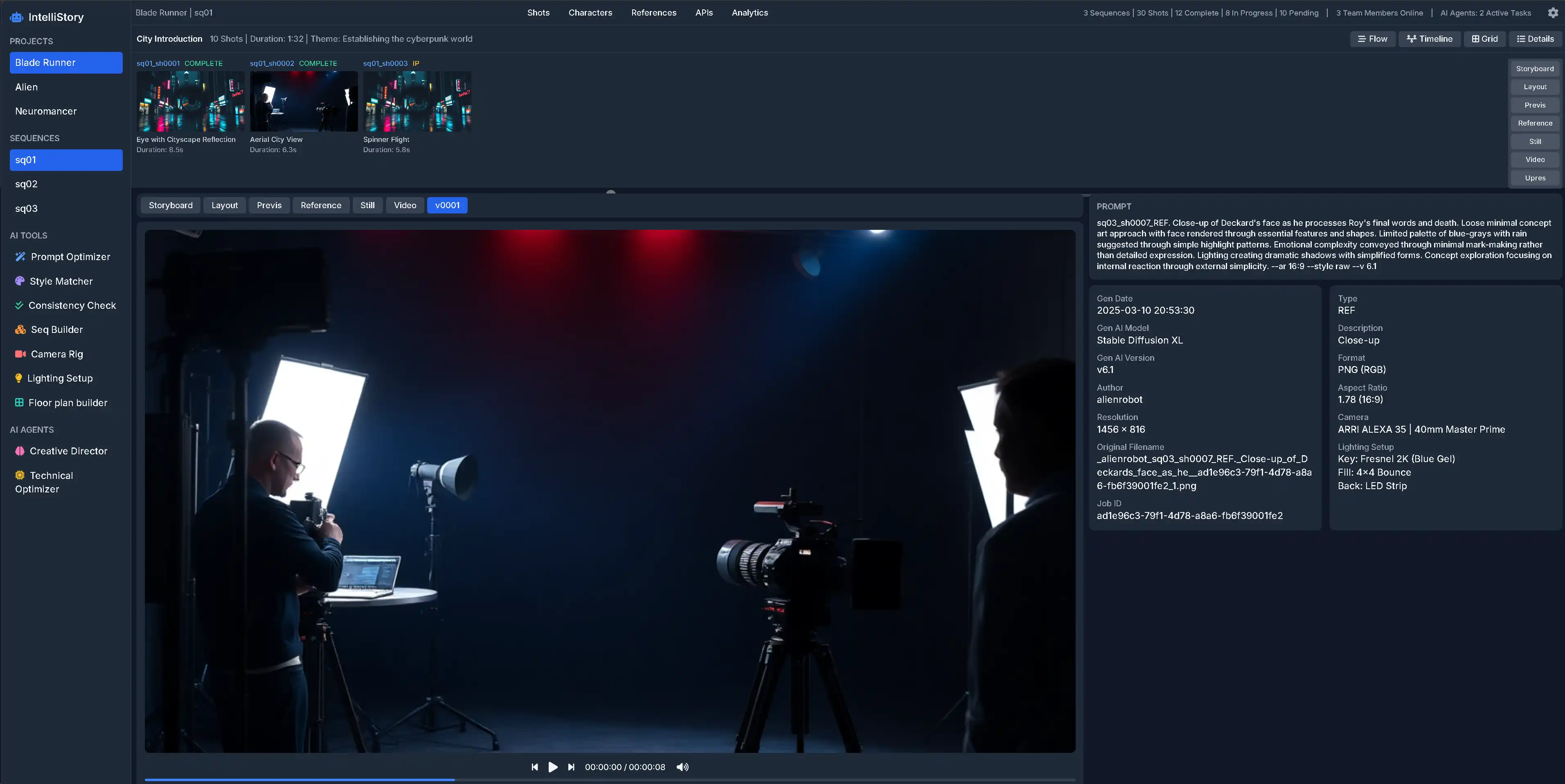
Most "Markdown → PDF" exports still look like raw chat output. I Like Your Docs! fixes that — a premium, 100% client-side converter that produces print-ready PDFs with real typography and consistent icon rendering.
Privacy First
100% Client-Side Processing
Print Ready
Professional Typography
Smart Icons
Emoji to SVG Conversion
Better Than Chat Exports
- Professional Themes: 14+ typography themes including technical, legal, academic, and resume styles
- Smart Icon System: Automatically converts emojis to crisp SVG icons (Lucide, Heroicons, etc.) for professional use
- Visual Control: Split editor with live preview and visible page guides to perfect your page breaks
- Private by Design: Totally free and private. Everything runs locally in your browser with no uploads
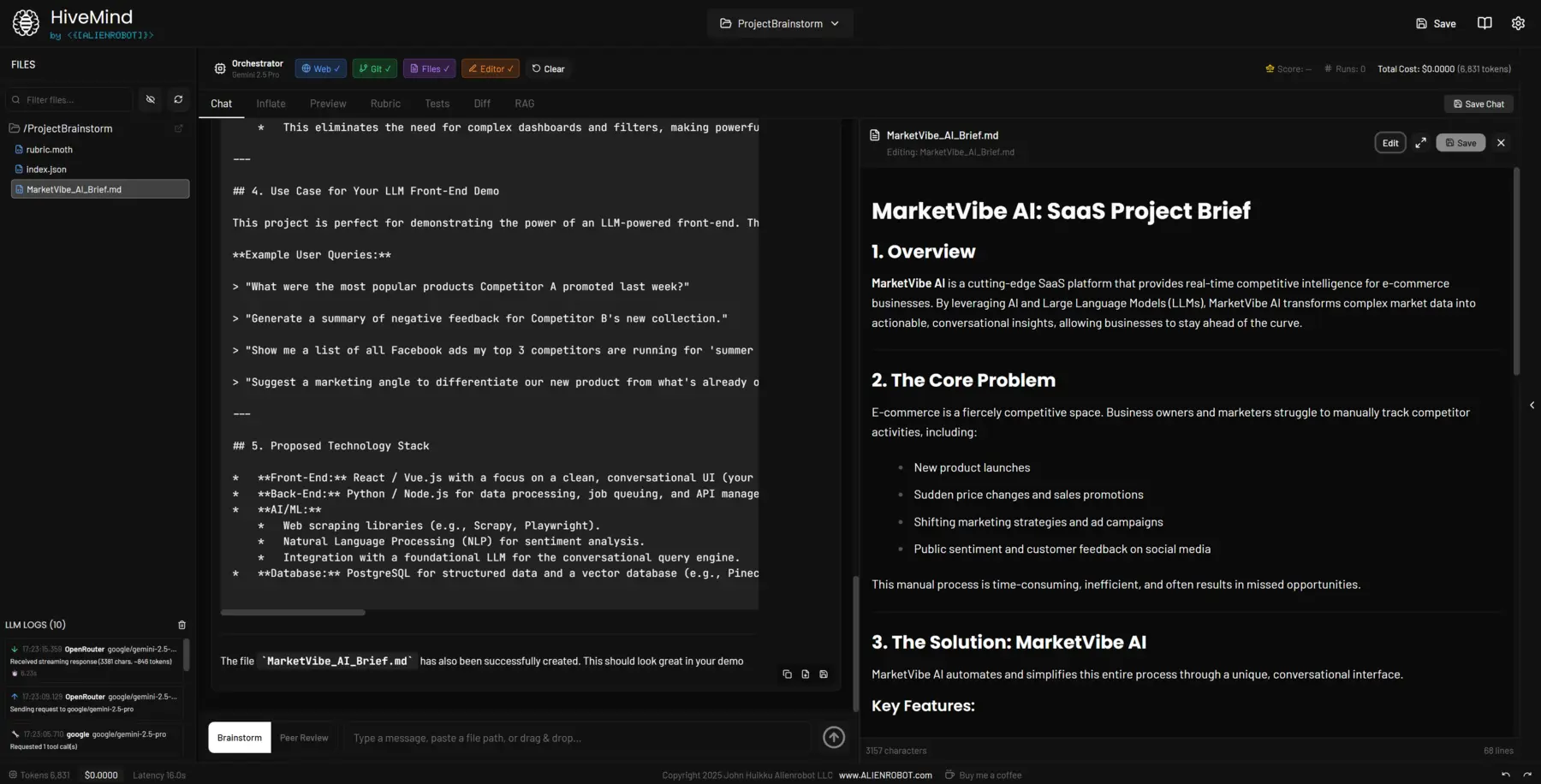
HiveMind is a sophisticated multi-LLM orchestration platform that enables seamless coordination between multiple AI models. It provides a unified interface for managing complex AI workflows across different language models.
Key Features
- Multi-Model Support: Orchestrate multiple LLMs simultaneously for enhanced capabilities
- Unified Interface: Single platform to manage diverse AI models and workflows
- Intelligent Routing: Automatically route tasks to the most appropriate model
- Workflow Automation: Create complex AI pipelines with ease
Multi-LLM
Coordinate multiple AI models in one platform
Orchestration
Intelligent task routing and workflow management
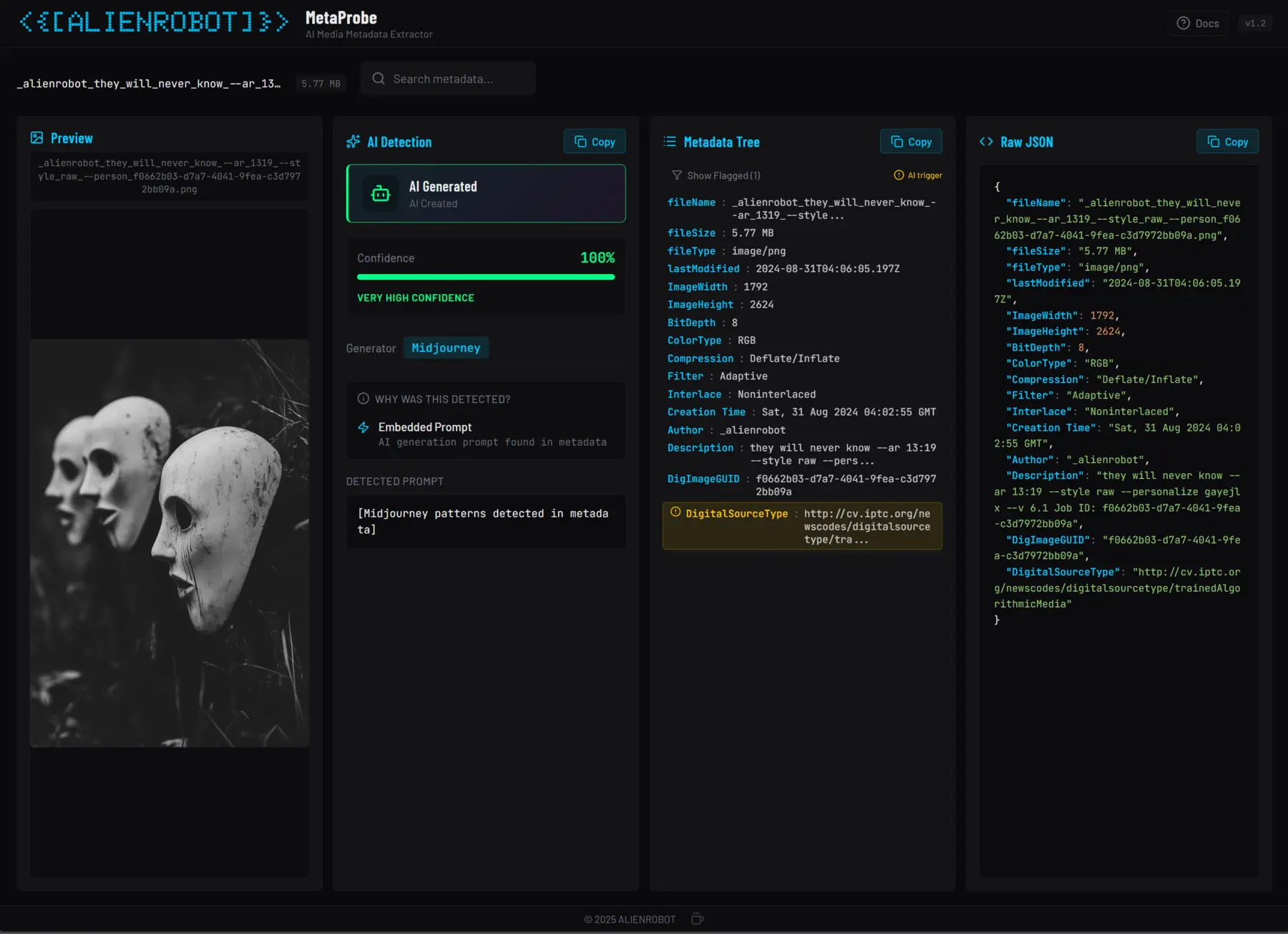
MetaProbe is an AI-powered media metadata extraction tool that automatically analyzes and extracts comprehensive metadata from media files. Essential for content management and AI-assisted production workflows.
Capabilities
- AI-Powered Analysis: Intelligent metadata extraction using advanced AI models
- Comprehensive Data: Extract technical and creative metadata from media files
- Workflow Integration: Seamlessly integrate with production pipelines
- Automated Processing: Batch process large media libraries efficiently
AI-Powered
Intelligent metadata extraction
Automated
Batch processing capabilities
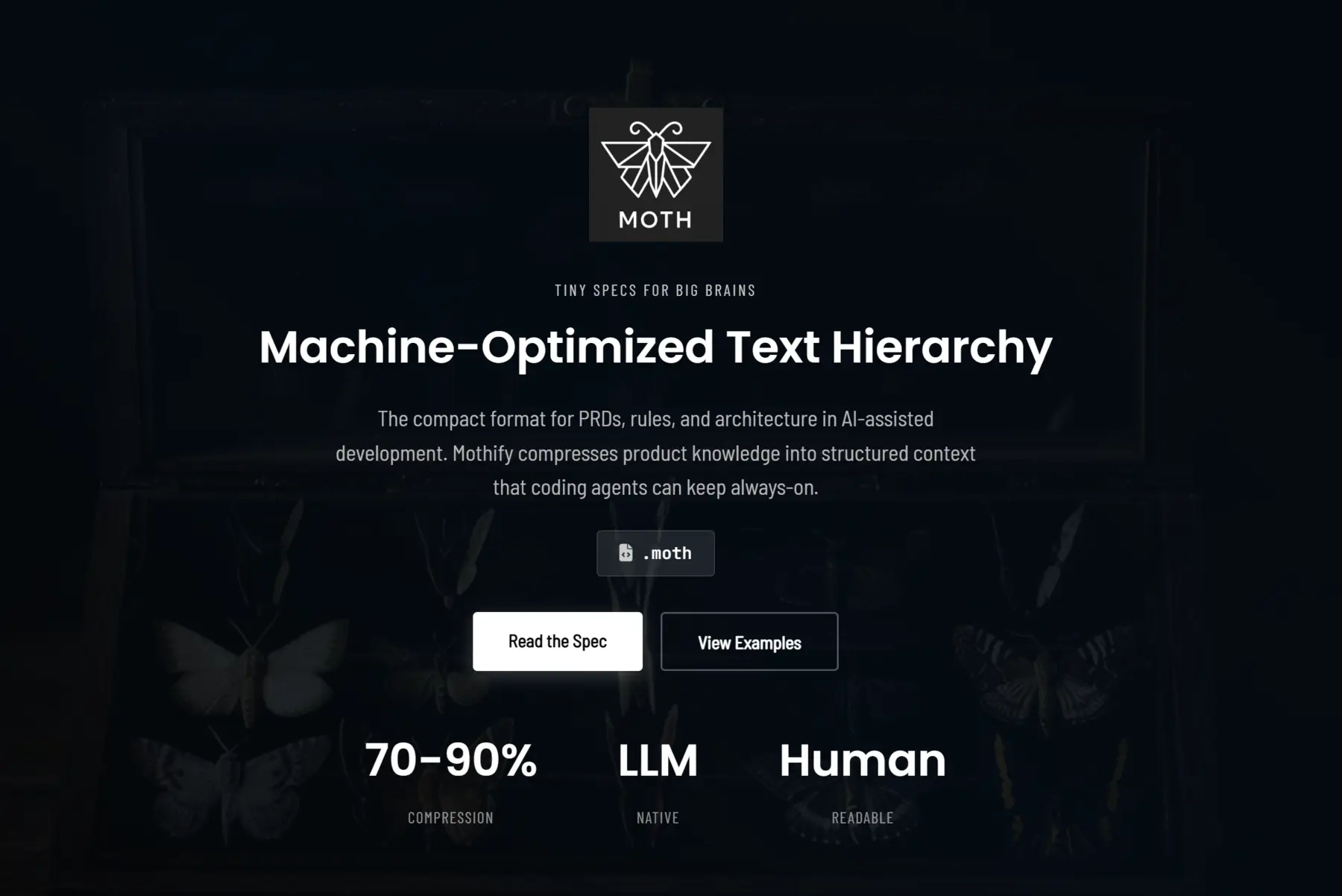
MOTH (Machine-Optimized Text Hierarchy) is a compact notation format for technical specifications, PRDs, and coding rules. Designed specifically for AI-assisted development, MOTH achieves 70-90% compression while maintaining full readability.
Why MOTH?
- 70-90% Compression: Dramatically reduce token consumption vs traditional markdown
- LLM-Native: Optimized for AI coding agents and language models
- Human Readable: Maintains clarity despite extreme compression
- Structured Format: Perfect for PRDs, architecture docs, and coding rules
70-90%
Compression vs markdown
LLM Native
Built for AI workflows
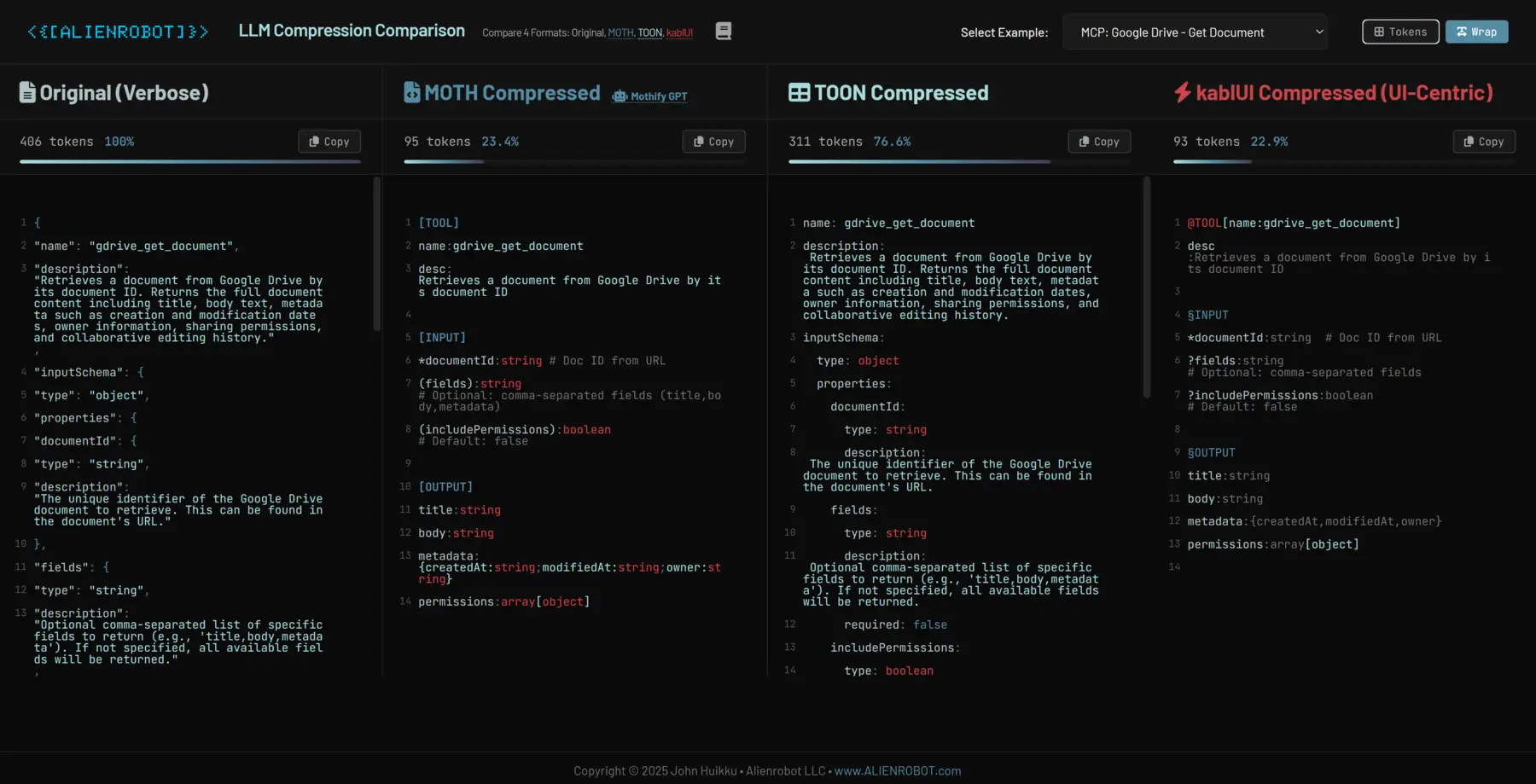
LLM Compression Comparison Tool
Interactive tool comparing compression formats optimized for LLM context windows. Compare MOTH, TOON, and kablUI side-by-side with real GPT tokenization (o200k_base).
MOTH
70-90% compression
TOON
40-60% compression
kablUI
60-85% compression
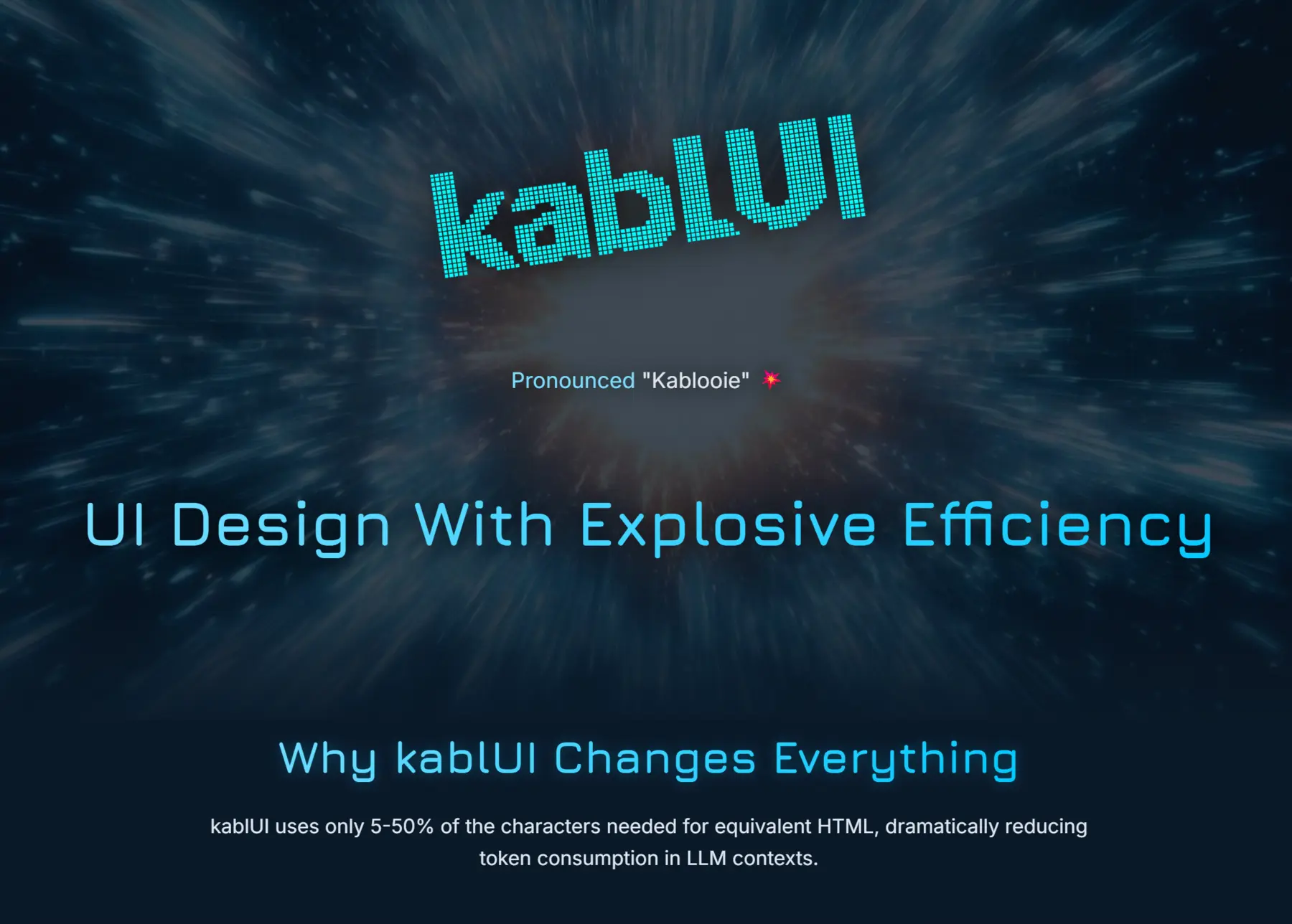
kablUI
Compact UI Notation System · Released 2024
UI Design With Explosive Efficiency
kablUI uses only 5.5% of the characters needed for equivalent HTML, dramatically reducing token consumption in LLM contexts.
Why kablUI Changes Everything
-
95% More Efficient
kablUI uses only 5.5% of the characters needed for equivalent HTML, dramatically reducing token consumption in LLM contexts.
-
Built for LLMs
Optimized for AI processing, making it ideal for design collaboration with language models like GPT-4 and Claude.
-
Human Readable
Intuitive syntax that balances extreme brevity with natural readability for human designers and developers.
-
Enforces Structure
Naturally guides designers toward well-organized, hierarchical interfaces with clear component relationships.
-
Rapid Iteration
Make structural UI changes in seconds instead of minutes, accelerating the design exploration process.
-
Framework Agnostic
Works with any UI framework or design system—from React and Vue to Flutter and native platforms.
@APP[bg:gray-900]
  @SB[w:240 bg:gray-800]
    §PROJECTS
      +Project01
      -Project02
      -Project03
    §SEQUENCES
      +seq01
      -seq02
    §AI TOOLS
      -⚡Prompt
      -🎨Style
      -✓Consistency
  @MAIN
    @NAV[h:30 bg:gray-800]
      Project01 | seq01
      @TABS [Shots][Characters][References]
      @STATS "3 Seq | 30 Shots | 12 Done"
    @TIMELINE
      @CARD[w:40] "seq01_sh001"[blue] "COMPLETE"[green]
      @CARD[w:40] "seq01_sh002"[blue] "IN PROGRESS"[yellow]
    @PREVIEW
      @VIDEO[aspect:16/9]
      @CONTROLS ⏮️ ▶️ ⏭️ 🔊

@COMPONENT[Dialog]
  @HEADER "Confirm Action"
  @BODY
    "Are you sure you want to proceed with this action?"
  @FOOTER
    [Button secondary]Cancel[/Button]
    [Button primary]Confirm[/Button]
@COMPONENT
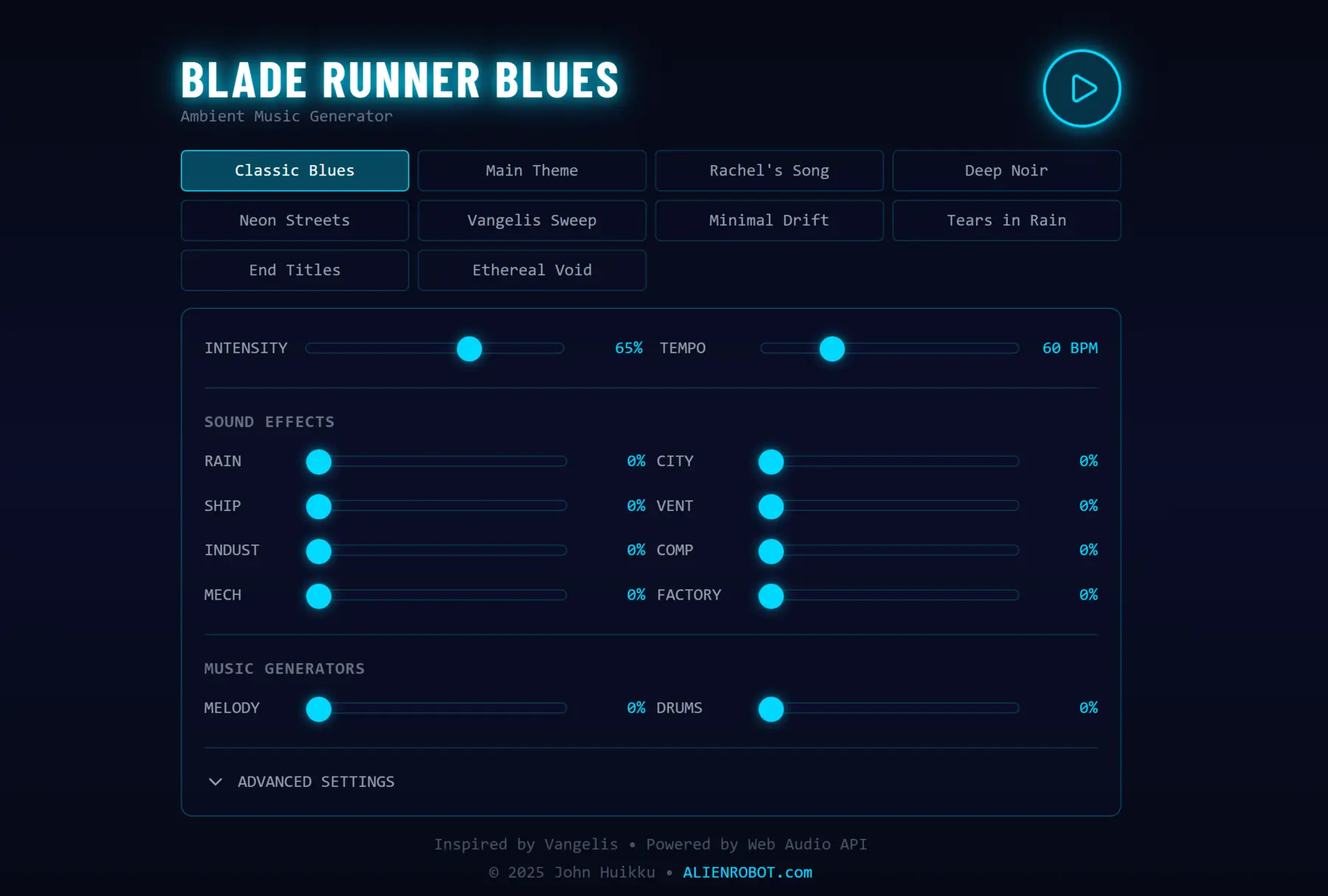
A cyberpunk-themed web application that generates infinite ambient soundscapes inspired by Vangelis' iconic "Blade Runner Blues" from the Blade Runner soundtrack. Features Moog-style synthesis with advanced effects.
Generative
Infinite Ambient Music
Moog-Style
4-Pole Ladder Filter
10 Presets
Curated Moods
Web Audio Synthesis Engine
- Multi-layered Oscillators: 3 oscillators per voice (2 sawtooth + sub) for thick, rich sound
- Moog Model D Emulation: Authentic 4-pole ladder filter for classic analog warmth
- Effects Chain: Master filter → Delay → Reverb with real-time control
- Data Integration: Connect real-time data sources (weather, stocks, time) to control synth parameters
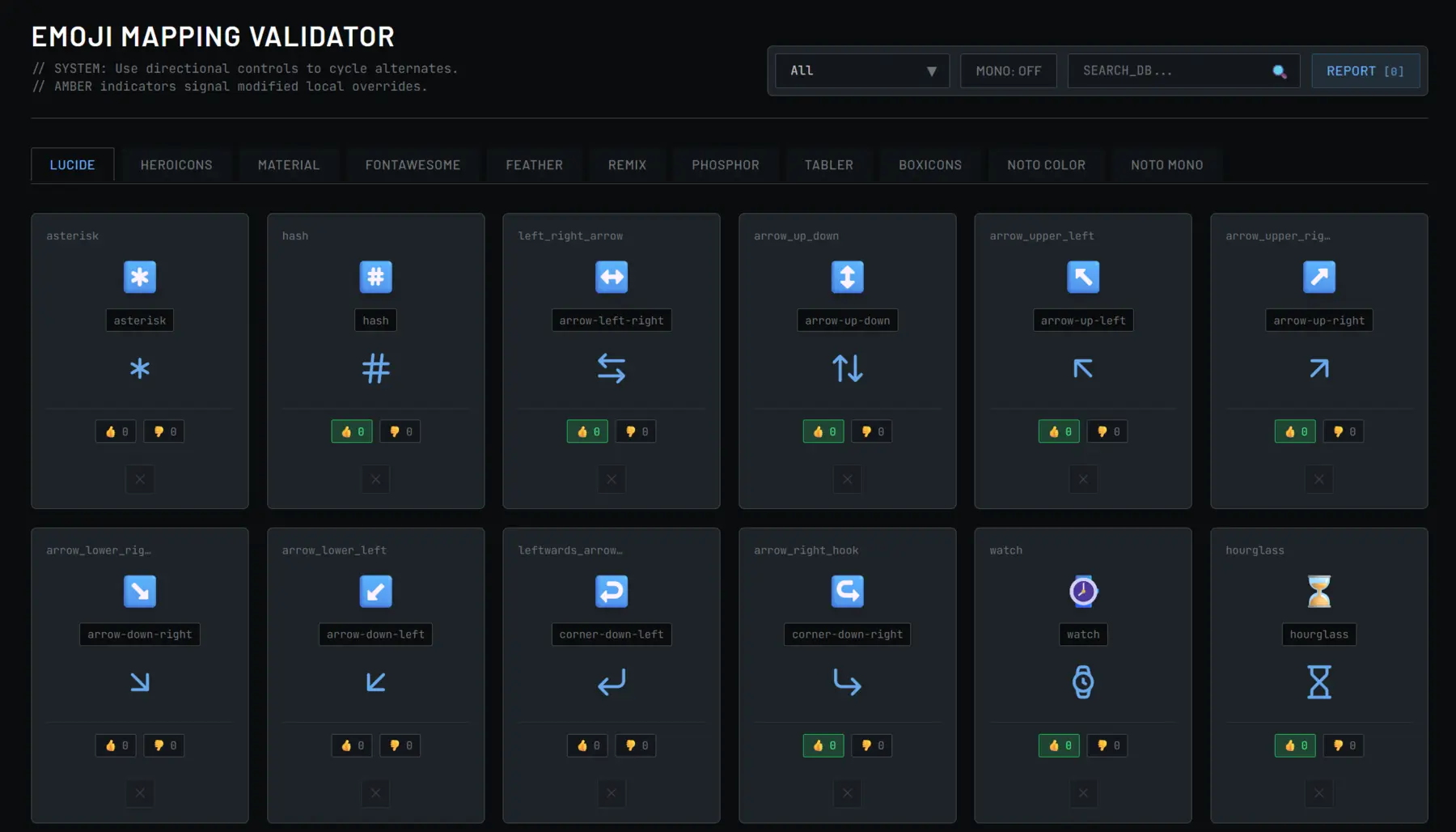
A TypeScript library that transforms casual Unicode emojis into high-quality SVG icons from industry-standard libraries. Over 7,800+ mappings across 10+ icon sets for professional documentation.
7,800+
Icon Mappings
10+ Sets
Icon Libraries
TypeScript
Type-Safe API
Supported Icon Libraries
- Lucide Icons: Modern, clean design for web applications
- Heroicons: Tailwind CSS optimized icon set
- Material Icons: Google's Material Design family
- And More: Font Awesome, Feather, Phosphor, Tabler, Boxicons, Remix
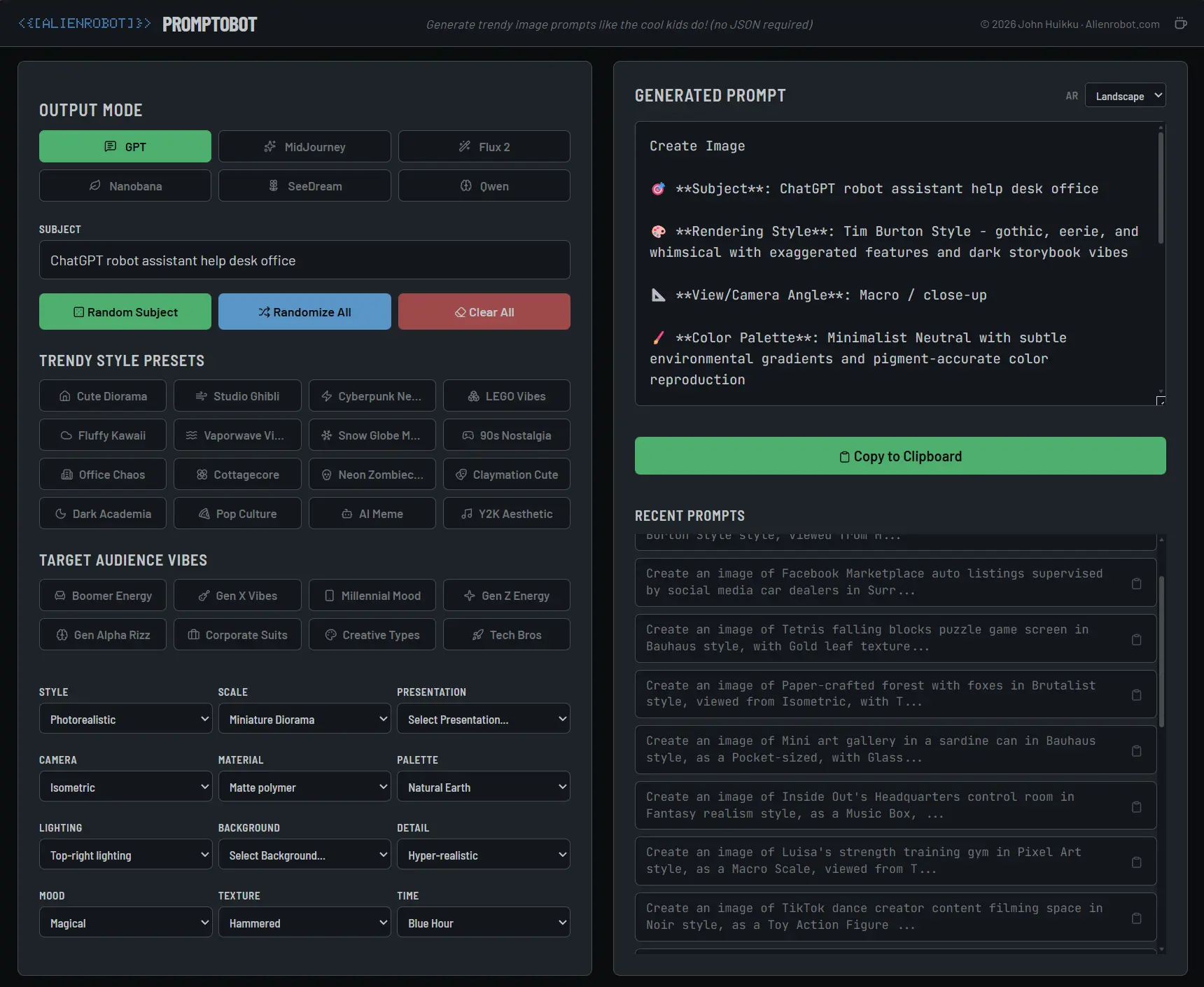
Promptobot is a collection of advanced AI solutions and creative tools designed to enhance productivity and creativity in AI-assisted workflows. It provides powerful utilities for prompt engineering and AI interaction.
Features
- Prompt Engineering: Advanced tools for crafting effective AI prompts
- Creative Solutions: Innovative approaches to AI-assisted creativity
- Workflow Enhancement: Streamline AI interactions and boost productivity
- Versatile Tools: Comprehensive suite for various AI applications
AI Tools
Advanced prompt engineering solutions
Creative
Enhance AI-assisted workflows
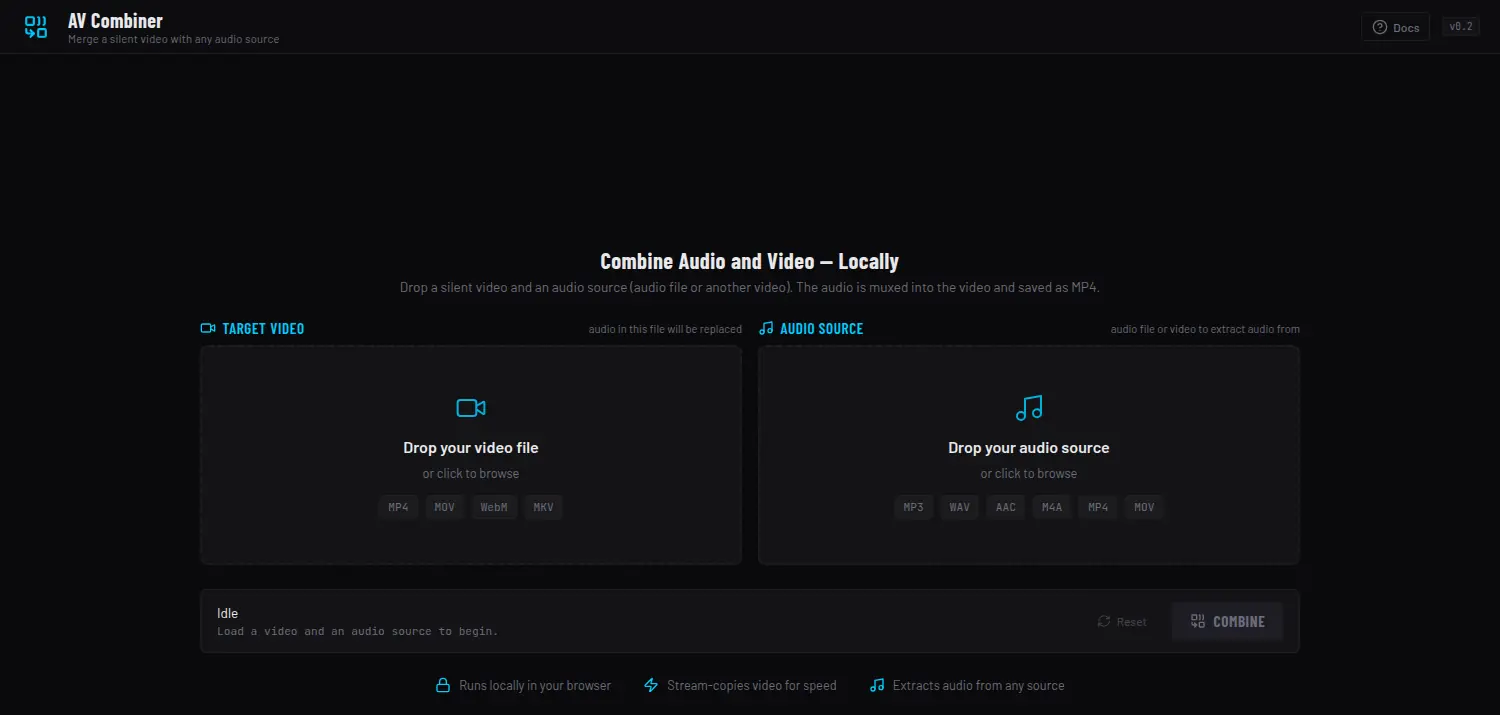
AV Combiner
Mux Any Audio Into a Silent Video — 100% In-Browser, Nothing Uploaded · Live
Drop a silent video and an audio source — a sound file or another video — and the
audio is muxed straight into the clip and exported as MP4. Every byte is processed
client-side with ffmpeg.wasm; nothing is
ever uploaded to a server.
100% In-Browser
No Upload, No Server
ffmpeg.wasm
WebAssembly ffmpeg
Stream-Copy
No Re-Encode When Possible
What's Inside
- Audio From Anything: Pull the track from a standalone audio file (MP3 / WAV / AAC / M4A) or extract it from a second video
- Fast Path: The video is stream-copied without re-encoding when the container is compatible — near-instant export
- Automatic Fallback: Incompatible sources (e.g. WebM / VP9) transparently fall back to an H.264 re-encode
- Private by Design: Runs entirely on-device via WebAssembly ffmpeg — files never leave the browser, even on a static host
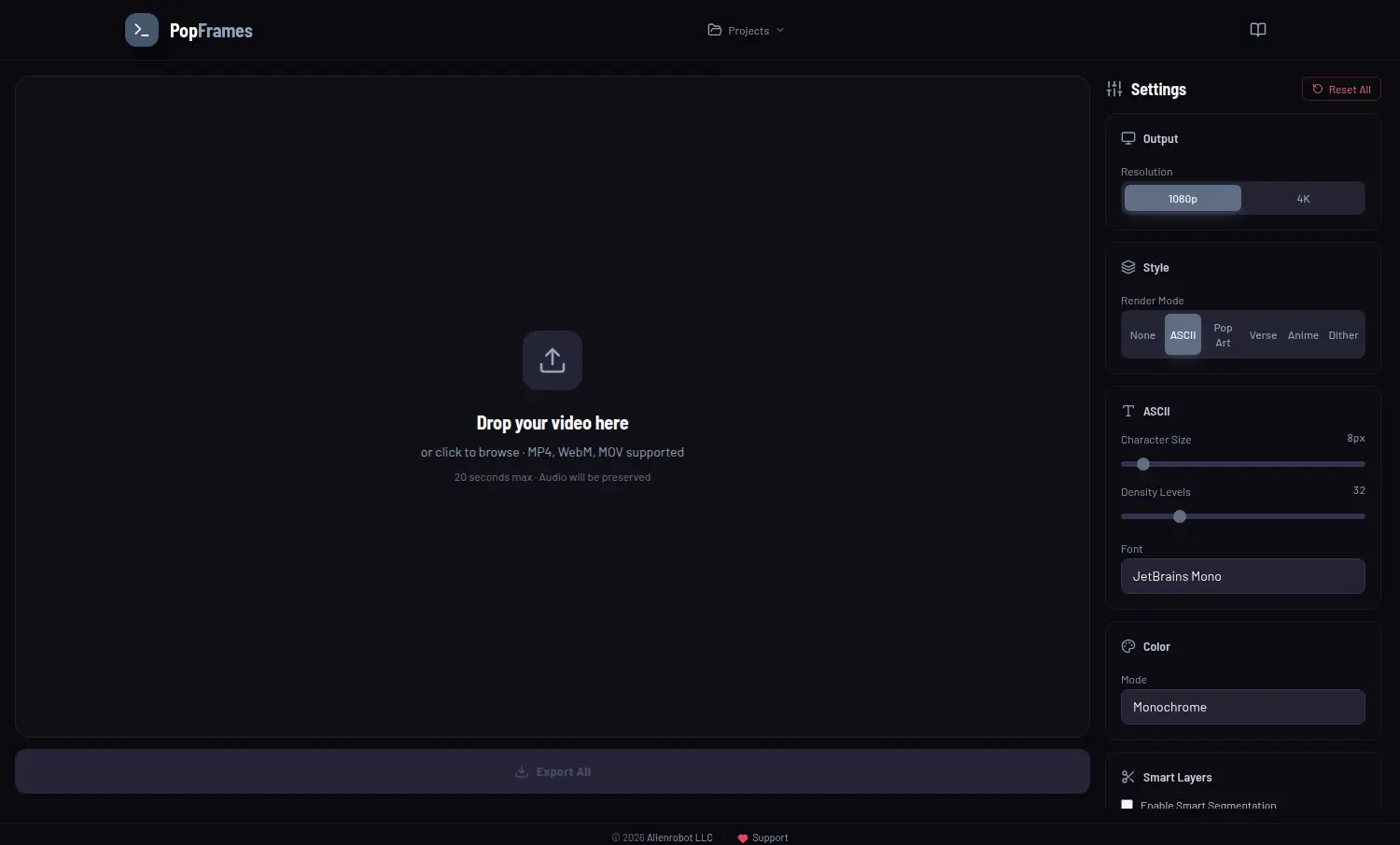
PopFrames
Turn Any Clip Into ASCII, Pop Art, Anime or Dither — With CRT, Glitch & Halftone FX · Live
Drop a short clip and restyle it in the browser. Pick a render mode — ASCII, Pop Art, Anime, or Dither — choose a terminal palette and mono font, then stack a deep set of retro effects on top. Export up to 4K with the audio preserved. It all runs client-side, no upload.
ASCII / Pop Art
Five Render Modes
CRT & Glitch
A Deep Retro-FX Stack
Up to 4K
Export With Audio
What's Inside
- Render Modes: ASCII, Pop Art, Verse, Anime, and Dither — with tunable ASCII character size, density levels, and a pick of mono fonts (JetBrains Mono, VT323, Press Start 2P, DotGothic16…)
- Color Treatments: Monochrome, green and amber terminal palettes, or full color
- Smart Layers: Optional segmentation plus temporal-consistency controls to keep the effect stable frame-to-frame
- Effects Stack: Scanlines, vignette, chroma shift, film grain, glitch, CRT, invert, pixel sort, slit scan, feedback trails, kaleidoscope, halftone, posterize, and bloom
- In-Browser Export: 1080p or 4K output with audio preserved — nothing uploaded